35+

years putting clocking systems into UK factories

£2

per employee per month excl. VAT

£395

clocking terminals from, excl. VAT

Shift work

Built for shift work, not adapted to it

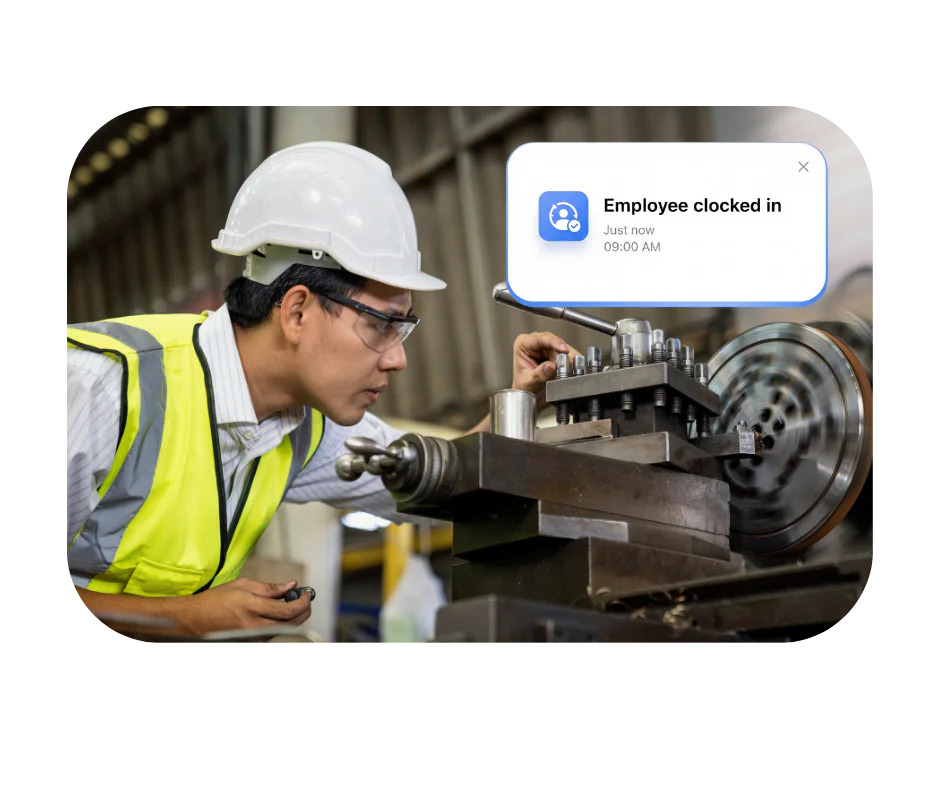
Most workforce systems handle a nine to five and struggle with anything else. Ours started in factories, so rotating shifts, night premiums, bank holiday rates and a workforce that clocks in at a terminal rather than a laptop are the normal case rather than an edge case.

Clockings come from terminals on the floor or the mobile app for anyone off site, and land in the same records either way.

What that means in practice

  • Who is on shift right now, across every site
  • Overtime and premiums applied to your rules, not a generic assumption
  • Hours by department or cost centre for labour reporting
  • No timesheets to collect and nothing re-keyed into payroll

Manual time tracking vs a clocking system

Manual time tracking compared with a clocking system
What you are doing On paper With a clocking system
Recording the hours Written down and typed up, twice handled Captured at the terminal as it happens
Knowing who is on site Walk the floor and count On screen, and on the fire roll call
Someone clocking a mate in Easily done with a card or a sheet Far harder with biometric verification
Working out overtime By hand, per person, every period Calculated against your rules and split by rate
Getting it to payroll Re-keyed from one screen to another Exported in the layout your payroll package imports
Proving what happened Whichever sheet survived An audit trail of every clocking and amendment

Which product

The right system for your factory

For most manufacturers the answer is Syncro Connect. There are a few jobs where our installed system, Realtime, is the better fit, and we would rather tell you that up front than after a demo.

If you are weighing us against other suppliers, our comparison of manufacturing time and attendance systems sets seven of them side by side, including where a rival suits you better.

Where most factories start

Syncro Connect

Cloud based, nothing to install, with terminals on the floor and an app for drivers and anyone off site. Shift tracking, overtime, attendance, absence and payroll export in one place.

  • Shift patterns, premiums and overtime rules
  • Absence and holiday with Leave Connect
  • Flexitime with Syncro Flexi
  • Payroll export for Sage, Pegasus, QuickBooks, BrightPay, Xero, IRIS and ADP

£2 per employee per month excl. VAT, or £3 with the app.

Explore Syncro Connect →

When Realtime is the better answer

Realtime

Installed on your own server or hosted by us. Choose it if one of these is the reason you are looking:

  • Job costing against production runs and batches
  • Rotas you need today, rather than later in 2026
  • Banked or annualised hours
  • Direct Sage Payroll integration, an optional module at £395 a year excl. VAT

Quoted per installation.

Explore Realtime →

Access control works with either product, so the same credential can open the door and clock the shift.

UK manufacturing runs on its workforce

In a sector where labour is one of the largest controllable costs, knowing the hours precisely is not administration. It is margin.

2.6m

jobs in UK manufacturing

50,000

roles, or nearly, ready to be filled. With people that hard to find, every hour of the team you have counts

Source: Make UK, Backing manufacturing

The workforce problems manufacturers actually have

Not the ones a brochure lists. These are the four that come up in every conversation.

Shift patterns nobody can calculate quickly

Rotating shifts, nights, weekend premiums and overtime thresholds. Doing that by hand for two hundred people is where the disputes over hours start.

Hours that are not quite right

A few minutes here, a clocking somebody else made there. On a large shift-based workforce it adds up quietly, and nobody notices until the labour cost does not match the output.

Records you would rather not be asked for

Rest breaks and weekly limits under the working time regulations, and a customer audit that wants to see them. Paper makes that a week’s work.

Finding out about absence too late

Two people short on a line and the supervisor learns at half past eight, by which point cover means overtime rather than a reshuffle.

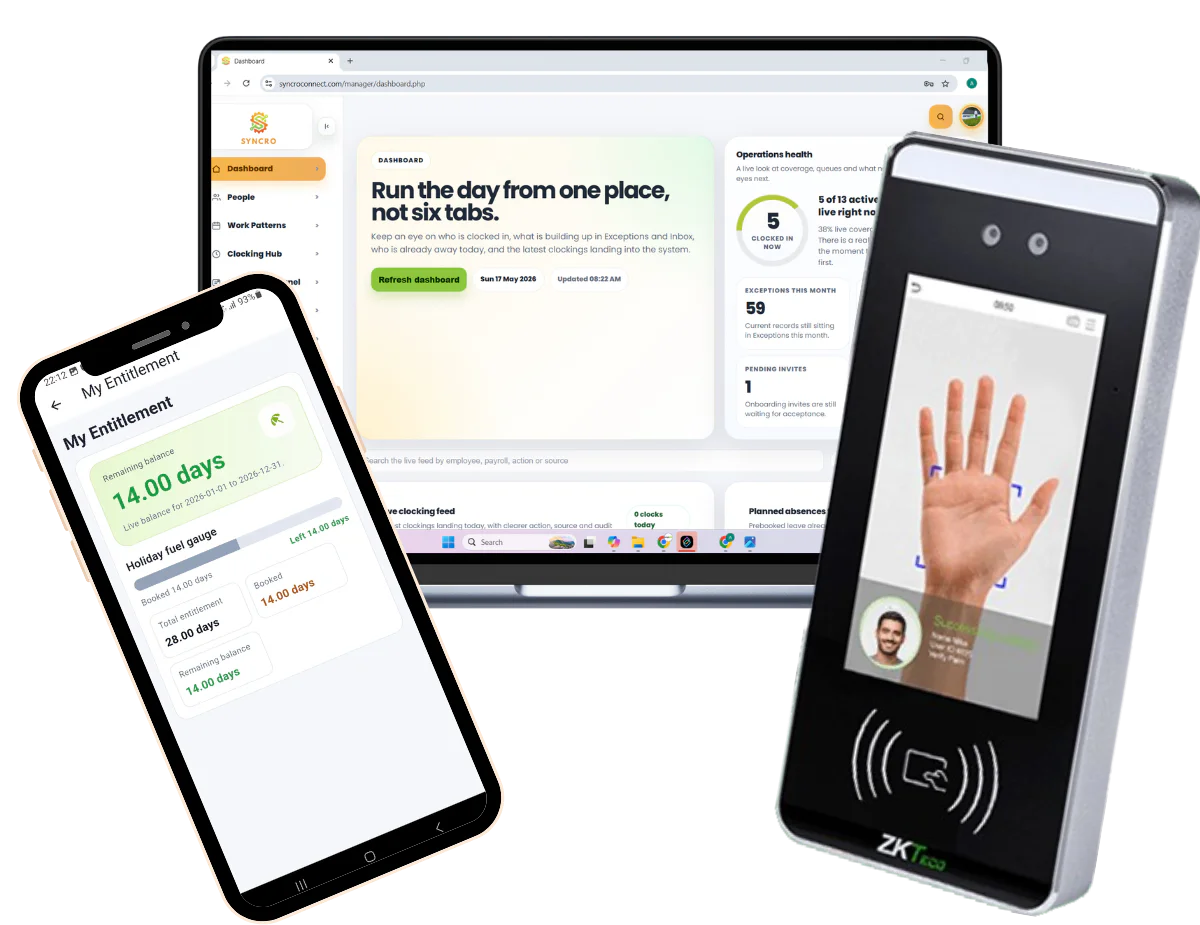
Syncro Connect shown on a desktop dashboard, the mobile app and a biometric clocking terminal

On the floor

Clocking that survives a factory floor

Syncro Connect attendance software replaces punch clocks and paper with biometric terminals, cards and fobs, or the mobile app for anyone off site. Most manufacturers end up with a mix.

Which credential suits you depends on hands and faces. Fingerprint struggles where hands are dusty, oily or worn, which describes most production floors by mid-morning, so facial recognition or palm is usually the better starting point in food production and engineering.

  • A whole shift through the door in minutes
  • Far harder for one person to clock in for another
  • Terminals that keep working when the network drops
  • Hours reaching payroll already worked out

See clocking terminals and prices →

Fewer corrections after payday

Five minutes a shift, across two hundred people, is a considerable number by the end of the month, and it moves in whichever direction the recording error happens to go. Manual timesheets produce both overpayments and unpaid hours, and neither gets noticed until somebody complains.

Clockings recorded at the terminal remove the estimating. Overtime and premiums are applied to your rules before the figures leave the system, and the hours go into payroll without being re-keyed, which is where most of the remaining errors come from.

  • People paid for the hours they actually worked, in both directions
  • Problems flagged before the pay run rather than after it
  • Labour hours by line, shift or department when you need to cost something

Accurate recording works in the workforce’s favour too. Overtime and early starts stop being forgotten.

The records, when somebody asks for them

Manufacturing gets audited more than most sectors, by regulators and by customers. The system gives you a time-stamped record of who was on site and the hours they worked. Meeting the working time regulations is your job; having the evidence to hand is ours.

Headcount reports in seconds

Rather than somebody going through timesheets the week before an audit and hoping they all add up.

Who is on site right now

Across every shift and every entrance, including contractors signed in through visitor management.

An audit trail behind every figure

Every clocking, every amendment, and who made it. A record that can be quietly changed is worth nothing in a dispute.

A roll call that matches reality

The fire roll call is built from the same clockings, so it is right at the moment the alarm sounds rather than as it was that morning.

Live attendance

Knowing where you are, before it costs you

Most staffing decisions on a production floor are made on incomplete information. Somebody has not turned up, nobody is sure who, and by the time it is established the options have narrowed to overtime.

Live attendance does not schedule anything for you. What it does is tell you the position at the moment you need to decide, which is usually the difference between a reshuffle and a premium rate.

  • See who is short at eight, not at ten
  • Overtime that was authorised rather than discovered
  • Absence patterns visible before they become a habit
  • Hours by line or department when you need to cost a run

Worth knowing: a rota module for Syncro Connect is coming later in 2026. Until then, if scheduling is your main problem rather than recording, Realtime has rotas today and we will tell you if it is the better fit.

Why Computime

Why choose Computime?

An independent software house in Leeds, trusted by more than 800 UK businesses.

Factories since 1989

For over 35 years we have been putting clocking systems into UK factories. Long enough to know that the ones that fail do so because they were awkward to use at seven in the morning, not because of anything on a specification sheet.

Terminals and software from one company

We supply, configure and support the terminals as well as the software, so the reader on your wall and the hours reaching payroll are one company’s responsibility. Both systems export for Sage, Pegasus, QuickBooks, BrightPay, Xero, IRIS and ADP.

Built and supported in Leeds

Our own team writes and supports the software, with no minimum or maximum headcount. When you call, you speak to someone here.

What our customers say

“We are very pleased with the smooth implementation. Computime worked very hard to make sure installation was completed within the time frame and with minimum disruption. The in-depth training allowed us to focus on production and keeping our employees safe at work while ensuring efficiency.”

Clare Barker
HR Manager, Wholebake Limited

Manufacturing time and attendance FAQs

What manufacturers ask before changing a clocking system. If yours is not here, call the Leeds team on 0113 350 9043.

What time and attendance software suits factory workers?
Software that handles rotating shifts and premiums without manual calculation, uses a terminal robust enough for the floor, copes with a whole shift arriving at once, and sends hours to payroll without re-keying. The requirements in a factory are different from an office. Most production staff do not carry a phone at work, overtime rules are rarely simple, and a shift change can put two hundred people through the door inside ten minutes. Any system that manages those four will serve a factory; plenty of well-known workforce platforms manage two or three.
Can it handle rotating and night shifts?
Yes, including shifts that cross midnight, which is where simpler systems come apart. You set the patterns, the premium rates for nights and weekends, when overtime starts and how bank holidays are treated, and those rules are applied to the recorded hours rather than to an assumption about a standard week. Getting the rules right at setup is where the value is, and we do that with you rather than handing over a manual.
How do you handle variable shift starts and flexitime?
Variable starts are worked out from when each person actually clocked, against the shift rules you set, rather than from a fixed start time. Flexitime is handled by Syncro Flexi, part of Syncro Connect. Each day has a target, time above it goes into the person’s flexi balance and time below it comes out, and you set the carry-forward and debit limits. Different teams can have different rules, so the office can be on flexi while the production floor stays on fixed shifts.
Which clocking method works best on a production floor?
Usually not fingerprint, which surprises people. Flour, oil, dust and hands worn smooth by handling materials all cause failed reads, and by mid-morning that describes most of a production workforce. Facial recognition or palm handle those conditions, and palm also works where masks or visors are worn. Cards remain the simplest option and the one you need anyway for visitors and contractors.
How fast is it when a whole shift arrives at once?
A clocking takes about a second, so the question is really how many terminals you need and where they go. Two hundred people through one reader at ten past six will queue, whatever the technology. Tell us how your shift changes actually work and we will say how many readers and which entrances, rather than selling you one and letting you find out.
Does it work across multiple sites?
Yes, with one system across every plant and access restricted by site, so a manager sees their own people rather than scrolling past four hundred names to find twelve. Hours can be reported by site, department or cost centre, and somebody who works across two sites carries one credential rather than one for each.
Does it help us comply with the Working Time Regulations?
It gives you the records, not the compliance. Every clocking is time-stamped, so you can show the hours each person worked, when they started and finished, and the breaks they clocked. It does not calculate the 48-hour weekly average over a reference period or police rest breaks for you, and we would be wary of any supplier who says software alone makes you compliant. The rules themselves are set out on GOV.UK for maximum weekly working hours and rest breaks.
Can we cost labour against production jobs?
Yes, with Realtime, where staff clock onto a job or batch rather than just onto shift, so you can see the hours a production run actually took against what you planned. Worth knowing that it costs labour time only, not materials or plant. If costing production jobs is the reason you are looking, Realtime is the product; Syncro Connect does not have job costing.
Does it replace our ERP or MES?
No, and it should not try to. We do time, attendance, absence and access. Production planning, machine monitoring, output tracking and skills matrices belong in an ERP or MES, and those systems do them far better than a workforce supplier would. What we do is make sure the labour hours going into whatever else you run are accurate, which is usually the part those systems depend on and handle worst.
What happens if the network or the internet goes down?
Terminals hold their own records and keep accepting clockings, syncing when the connection returns. Nobody stands at the door with a clipboard. On a site where a network outage would otherwise stop a shift being recorded, this matters more than most of the feature list.
Will the shop floor accept it?
More readily than most managers expect, provided two things are true. It has to be quick, because a system that adds thirty seconds to everyone’s morning gets resented and then worked around. And people need to be told what is recorded and why, particularly with biometrics, where an unexplained terminal appearing on the wall causes more trouble than the technology ever does. Accurate recording also works in the workforce’s favour, since overtime and early starts stop being forgotten.
How long does it take to put in?
Syncro Connect can record clockings from the first day, and most factories are fully set up within about two weeks of payment. Realtime takes longer because it is installed and there is more to configure. Either way the work is in your rules rather than the software: shift patterns, premium rates, overtime thresholds, how lateness is treated. That is a conversation with whoever runs your payroll, and it is worth doing carefully, because rules set wrongly at the start produce plausible-looking figures that are quietly wrong for months.
Try it on your own shifts

Tell us how your shift changes work

Start a free trial of Syncro Connect, or book a demo and we will walk through your patterns, premiums and payroll with you.

Start A Conversation

Left Menu Icon
