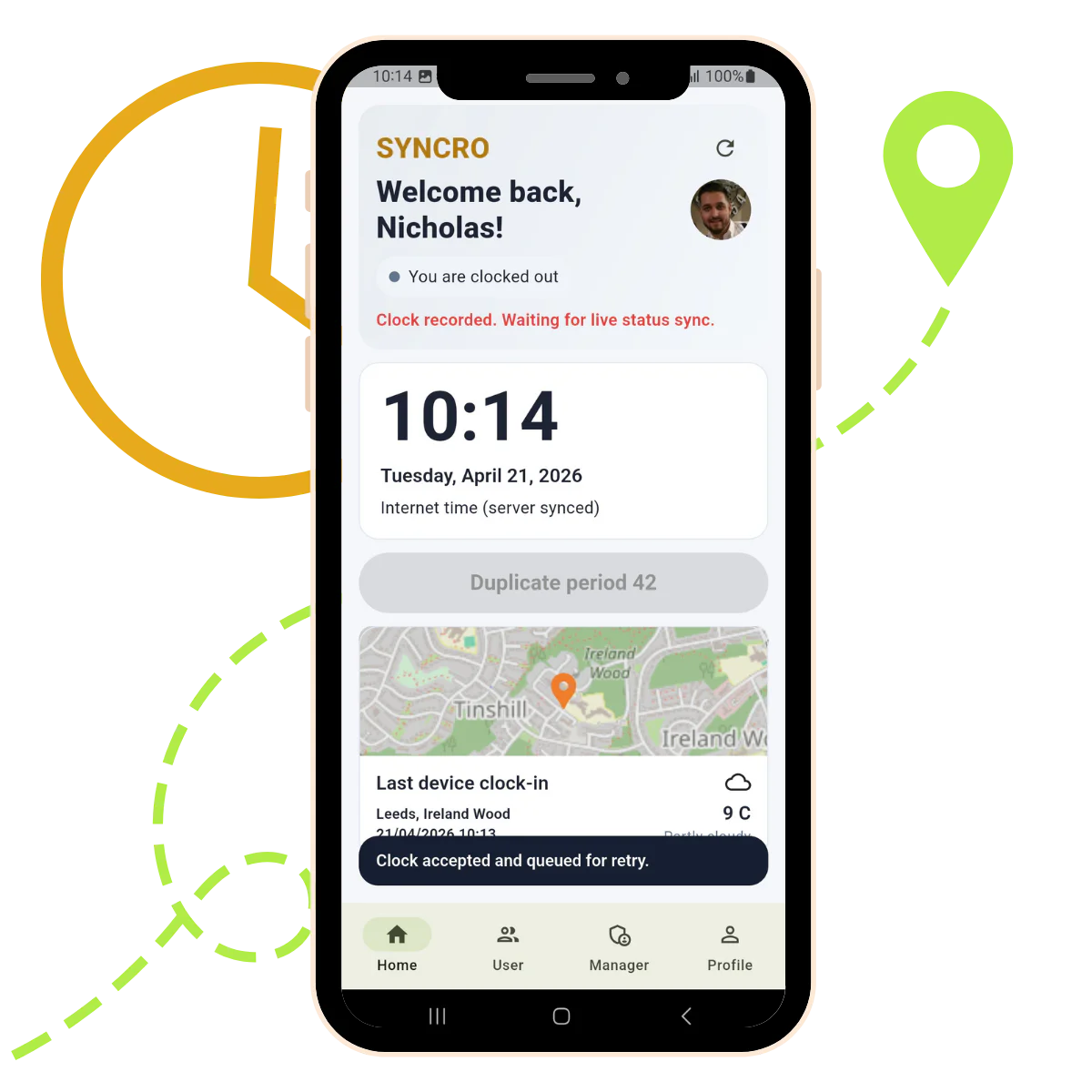
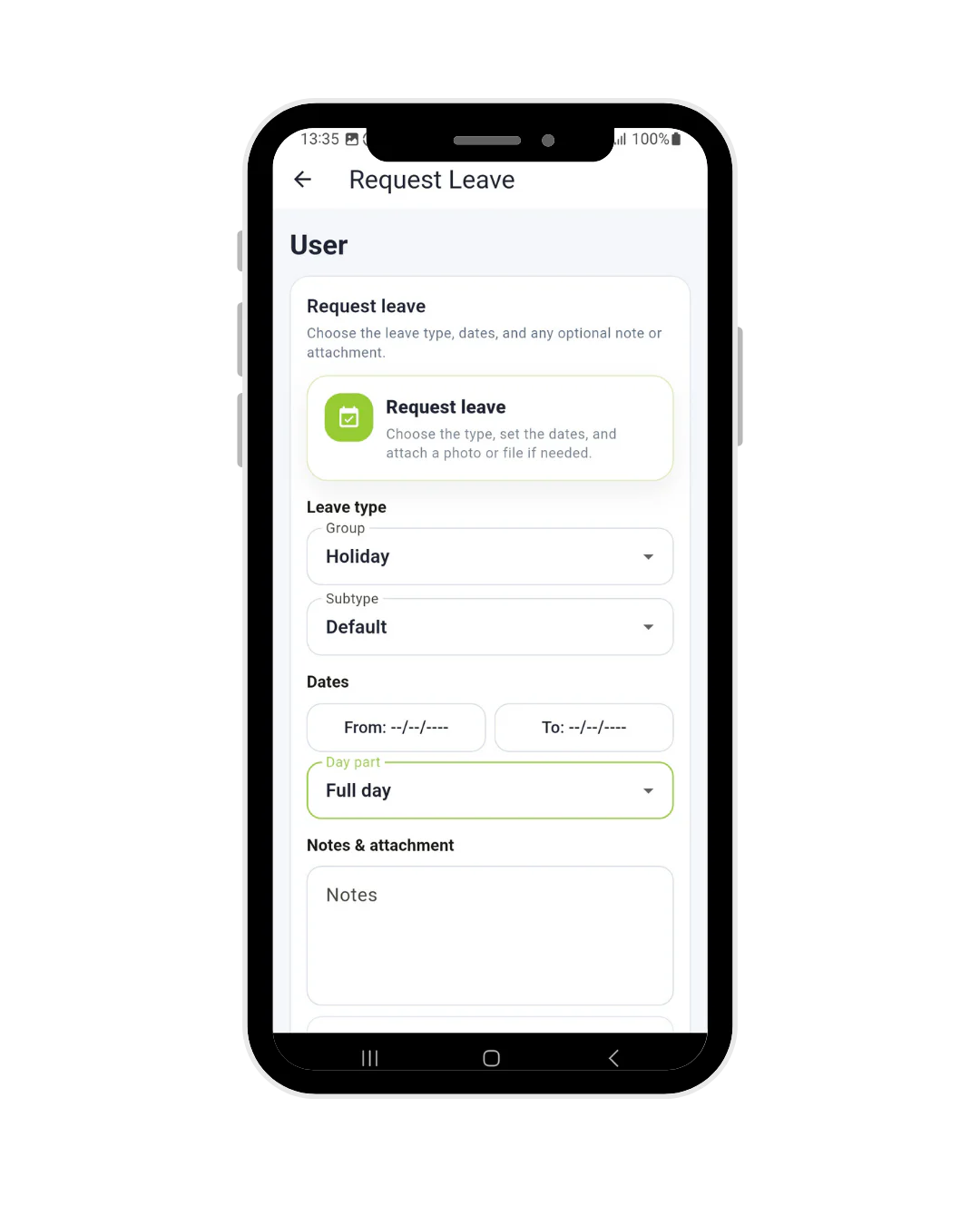
Syncro Connect clocking in app on an Android phone showing the holiday request form for UK employees

What it is

What is a clocking in app?

A clocking in app is a mobile time and attendance system that lets employees record their working hours from a smartphone or tablet, instead of a paper timesheet or a fixed clocking machine on the wall.

Unlike a fixed terminal, a clocking in app lets employees:

  • Clock in and out wherever they are working
  • Record GPS at the point of clocking
  • Record travel time between jobs
  • Submit holiday requests
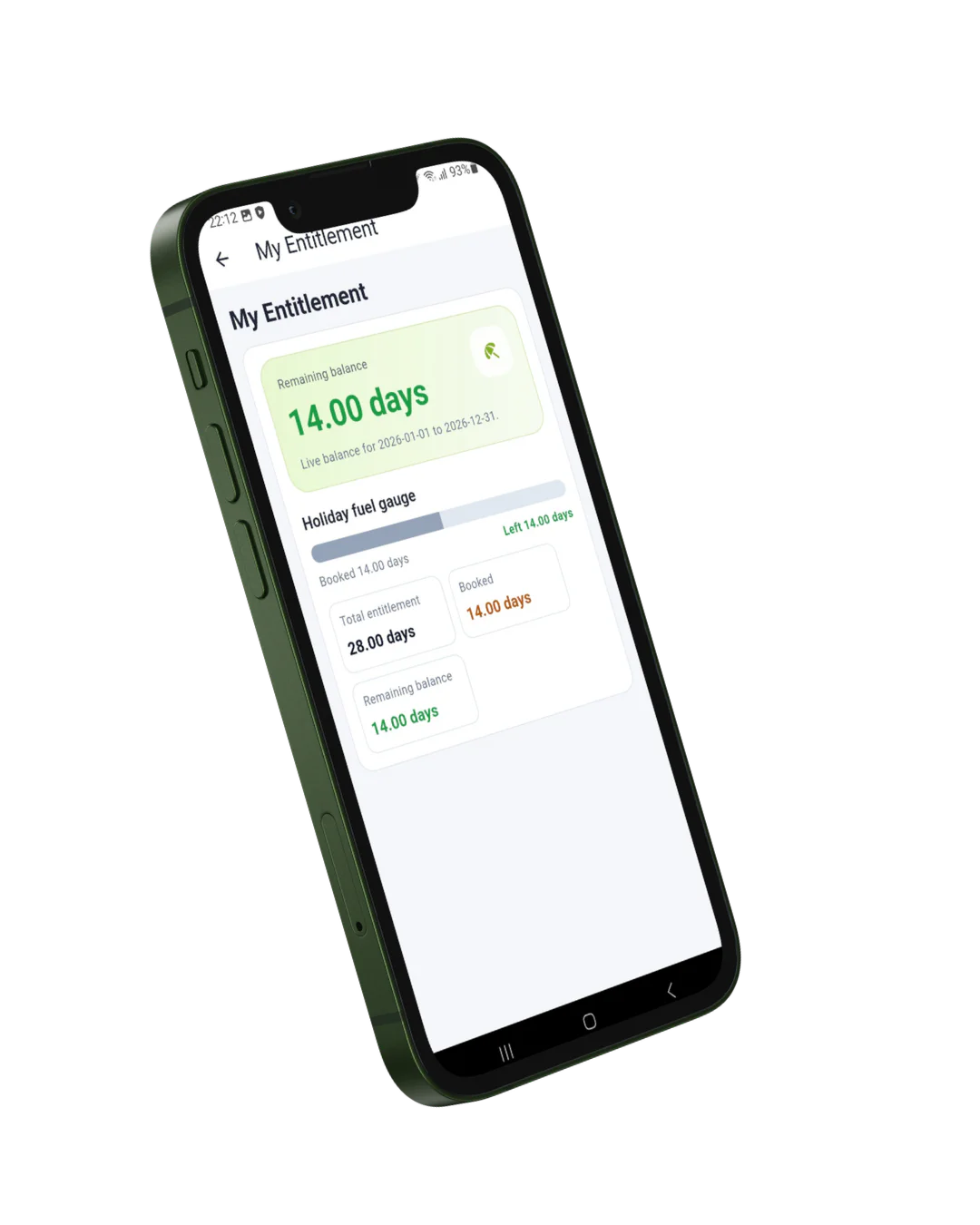
  • Check their holiday entitlement
  • Report sickness and log appointments
  • View timesheets and working hours

For the business that means accurate records for payroll without chasing anyone for a timesheet. For employees it means the answers to most of their questions are on their own phone rather than in someone’s inbox. See how it fits the wider workforce management picture.

Step by step

How the app works

  1. Employees download the app on their own Android or iOS phone
  2. They clock in and out with a single tap
  3. GPS records where the clocking happened, at that moment only
  4. The clocking appears straight away for managers and admin teams
  5. Employees request holiday, report sickness and check their timesheets
  6. Approved hours export ready for payroll, with the records kept behind them

Works offline. If an employee is somewhere with no signal, the app holds the clocking on the phone and uploads it automatically once connectivity returns. Nothing is lost and nobody has to remember to do anything.

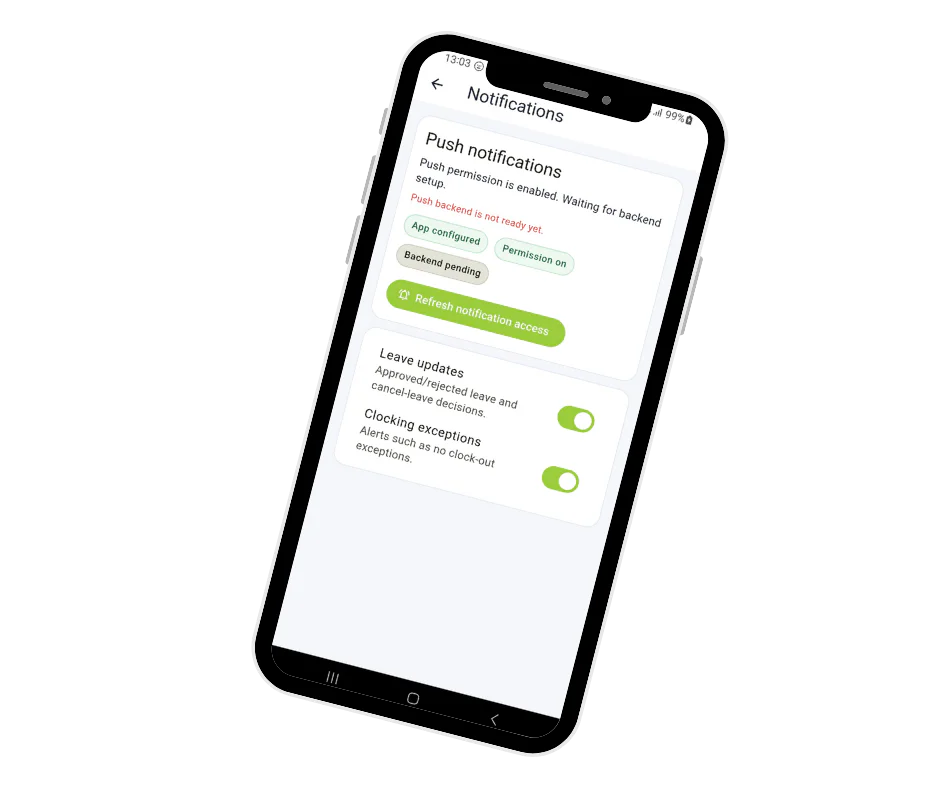
Syncro Connect clocking in app on a smartphone showing push notifications for leave requests and clocking alerts

Key benefits for UK businesses

Accurate time tracking

Replace manual timesheets with digital records taken at the moment someone starts and finishes, so hours are captured rather than remembered.

Learn more

See who is working, live

Clockings appear straight away with the location they were made from, so you know who is on site or on the road without ringing round.

Learn more

Fewer payroll corrections

People are paid on the hours they actually worked, and approved hours export ready for Sage, Pegasus and QuickBooks.

Learn more

Fewer questions for HR

Staff check their own hours, holiday balance and timesheets on their phone, so the routine questions stop landing in someone’s inbox.

Learn more

App capabilities

One app, everything your team needs

LIVE

Clocking

2 taps

in or out

GPS

At clocking

not continuous

Holidays

Self-serve

request and approve

Offline

Auto-sync

no signal needed

Works on

iOS · Android

Data held in

UK data centres

Everything in one app

Key features

  • Mobile clock in and clock out
  • GPS recorded at the point of clocking
  • Travel time recording
  • Holiday requests and approvals
  • Live holiday entitlement and remaining leave
  • Sickness reporting and appointments
  • Digital timesheets employees can check
  • Push notifications for approvals and exceptions
  • Works offline with automatic sync
  • Runs on staff’s own iOS and Android phones
  • Data held in the UK, access logged
  • Reporting and dashboards for managers

Self-service

Employee self-service tools

The app is an employee self-service portal in its own right. Most of the questions that reach HR each week, how much holiday have I got left, did that request get approved, what hours did I do on Tuesday, are answered on the employee’s own phone instead.

Employees can:

  • Request holiday and cancel a booking if plans change
  • Check their remaining holiday allowance, updated live
  • Report sickness and log medical appointments
  • View their timesheets and hours worked
  • See their own attendance history at any time
  • See when colleagues are off, so holiday clashes are spotted early

Staff get a clear view of their own record, and managers stop being the lookup service. If you want the same holiday features without the app, they are available in the web software through absence management.

Syncro Connect clocking in app on an Android phone showing the holiday entitlement balance screen for UK employees

Who is the app for?

The app suits any business with staff on the move, on site, or spread across multiple locations, where a fixed clocking terminal on a wall would not reach them.

Construction

Site teams clock in across multiple locations, with GPS confirming the clocking happened where it should have.

View construction

Facilities management

Mobile teams working across client sites, with location-stamped clock-ins so hours can be attributed to the right contract.

Healthcare and care providers

Accurate records for shift-based and visiting care staff, including agency cover and night shifts.

View healthcare

Logistics and transport

Hours captured for drivers and depot staff on the move, with offline sync for the places signal drops out.

View logistics

Field service and engineers

Travel time and job hours recorded for engineers moving between sites, so labour can be costed against the job.

View job costing

Remote and hybrid teams

Office staff working partly from home, where nobody passes a terminal but hours still need recording.

Learn more

Why choose Computime?

Computime has been providing time and attendance solutions to UK businesses for over 35 years. Based in Leeds, we support more than 800 businesses across construction, logistics, healthcare, facilities management and retail.

The app is not a standalone product bolted on afterwards. It runs on the same system as your clocking terminals and your absence records, so an employee clocking in on their phone and one clocking in at the factory door appear on the same timesheet. Syncro Connect is built and supported by our own team in Leeds.

  • Over 35 years in time and attendance, since 1989
  • More than 800 UK businesses supported
  • Leeds based, with a dedicated UK support team
  • Rated 4.5 on Google and 4.4 on Trustpilot
  • Clocking, holidays, sickness and timesheets in one app
  • Works offline with automatic sync, on Android and iOS

800+

UK businesses trust Computime systems

35+

years of UK workforce experience since 1989

£3

per employee per month excl. VAT, app included

iOS and Android

works on any smartphone or tablet

What our customers say

We are really pleased with our Computime solution. Introducing this system means that payroll is now processed accurately and efficiently, helping to boost morale both for our head office staff and our field teams. Real time data means we know where our employees are, allowing us to operate more efficiently.

James Dunlop

Financial Manager, Landworth Electrics

We are very pleased with the smooth implementation. Computime worked very hard to make sure installation was completed within the time frame and with minimum disruption. The in-depth training allowed us to focus on production and keeping our employees safe at work while ensuring efficiency.

Clare Barker

HR Manager, Wholebake Limited

I was tasked with sourcing a computerised time and attendance solution to replace our manual clocking system. The Computime website contained all the information I needed, making the decision straightforward. The software proved easy to use and the helpdesk was very helpful and friendly. Computime have exceeded all of our expectations and objectives. I would definitely recommend them.

Purchasing Manager

BSK Laminating

Clocking in app FAQs

What businesses and their staff ask about mobile clocking. If yours is not here, call the Leeds team on 0113 350 9043.

Can employees clock in from their own phones?
Yes, and that is how most of our customers run it. The app installs on staff’s own iOS and Android phones, so you are not buying devices. Anyone who would rather not use their own phone, or does not carry one at work, can clock in from a web browser or a terminal instead, and it all feeds the same timesheet. Worth deciding your position on personal devices before you roll out, since some employers offer a small allowance and others do not.
Does the app track staff all day?
No. GPS is recorded at the moment someone clocks in or out, and nothing in between. The app confirms a clocking happened where it was supposed to; it does not follow anyone around. That distinction matters legally as well as practically: location data is personal data under UK GDPR, and continuous tracking of staff would need a much stronger justification than recording a clocking. Tell your team this plainly when you roll it out and most objections disappear.
Can someone clock in from home and pretend they are on site?
The GPS stamp shows where the clocking was made, so a clocking from someone’s kitchen looks like a clocking from someone’s kitchen. That is usually enough, because the point is not catching people but removing the argument about what time they started. If you need certainty that the person clocking is physically at a specific place, a fixed biometric terminal at the entrance is the stronger control, and plenty of customers run both.
What happens if there is no phone signal?
The clocking is stored on the phone and uploads automatically once signal returns. Nothing is lost and the employee does not have to remember to do anything. This matters more than people expect: basements, plant rooms, rural sites and steel-framed buildings all swallow signal, and a clocking app that only works with four bars is no use on a construction site.
What does the clocking in app cost?
£3 per employee per month excl. VAT, which is £2 for Syncro Connect plus £1 for the mobile app. A 25 person business pays £75 a month. There are no setup fees and no per-device charge, so staff can change phones without it costing you anything. Full detail on the pricing page.
Can staff book holiday through the app as well?
Yes, and it is the part most customers end up valuing more than the clocking. Employees request holiday, see their remaining entitlement updated live, report sickness and check their own timesheets, all from the same app. Managers approve with a tap. If you want those features without the app, they are available in the web software as absence management at £2 per employee per month.
Will staff resent being asked to use it?
Some will if it arrives without explanation, which is true of any change. In practice the app gives employees something back: their hours are recorded accurately rather than estimated, overtime is not forgotten, and they can check their holiday balance without asking anyone. The rollouts that go badly are the ones where staff first hear about it when the app appears; the ones that go well are where someone explains what is recorded, what is not, and why.
Does it work alongside clocking terminals?
Yes, and that combination is common. A terminal on the factory door for people who are always on site, the app for engineers, drivers and anyone who is not. Both feed the same records, so you are not reconciling two systems at the end of the month. It is one of the practical differences between us and app-only suppliers, who cannot offer the terminal half at all.
What if someone forgets to clock out?
It is flagged as an anomaly rather than quietly producing a fourteen hour shift. A manager amends the record with an audit trail showing who changed what and when, and the employee can see the correction. You find out on the day rather than on payroll day, which is the practical difference from paper timesheets.
Does it record travel time between jobs?
Yes. Travel time between jobs can be recorded separately from working time, which matters for engineers and field teams where the driving is part of the day and often part of the pay. It also feeds job costing if you need labour attributed to a particular job.
How long does it take to set up?
Days rather than weeks. We build your database around your staff, shift patterns and pay rules before you go live, then employees download the app and log in. There is no hardware to install and no engineer visit. You can also start a free trial and see a clocking come through within minutes.
Where is the data held?
In UK data centres, with access logged and restricted to named users. Clocking records and location stamps are personal data under UK GDPR, so staff should be told what is recorded and why, and you should set a retention period. Our data security page sets out how it is stored, and the UK GDPR guide covers what you need in place.

Start A Conversation

Left Menu Icon