Syncro Kiosk questions, answered
If yours is not here, call the Leeds team on 0113 350 9043.
What is an employee self service kiosk?▼
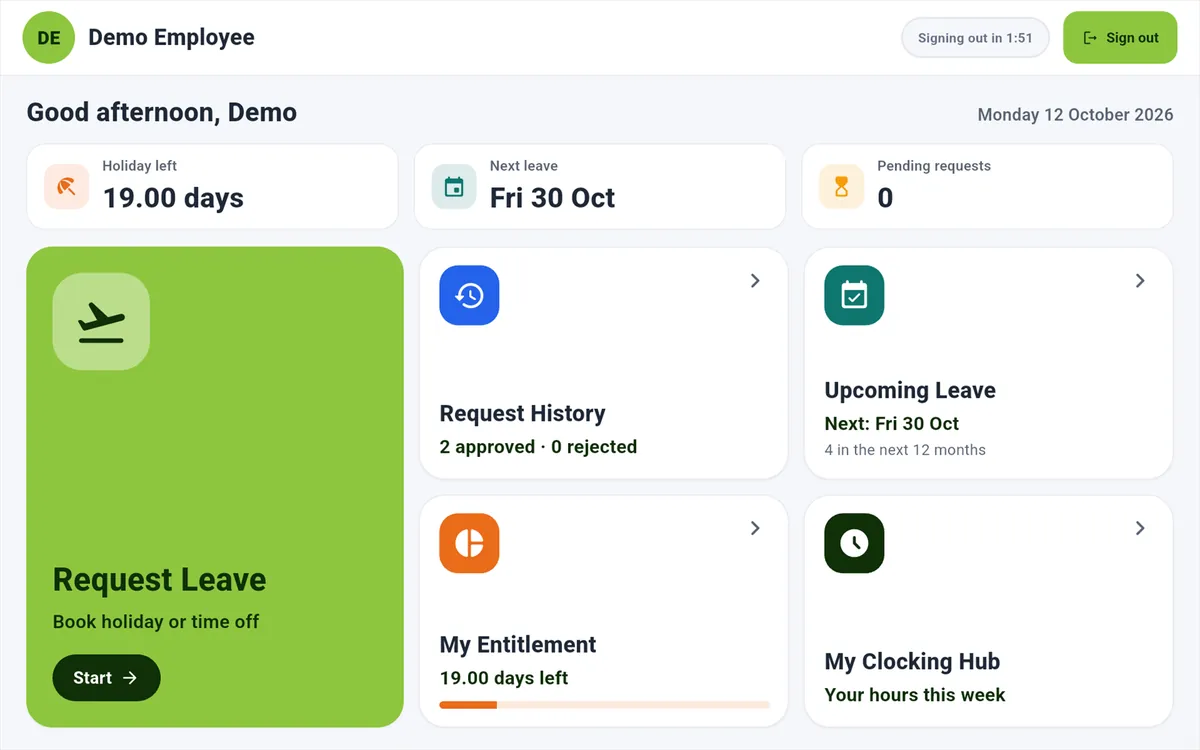
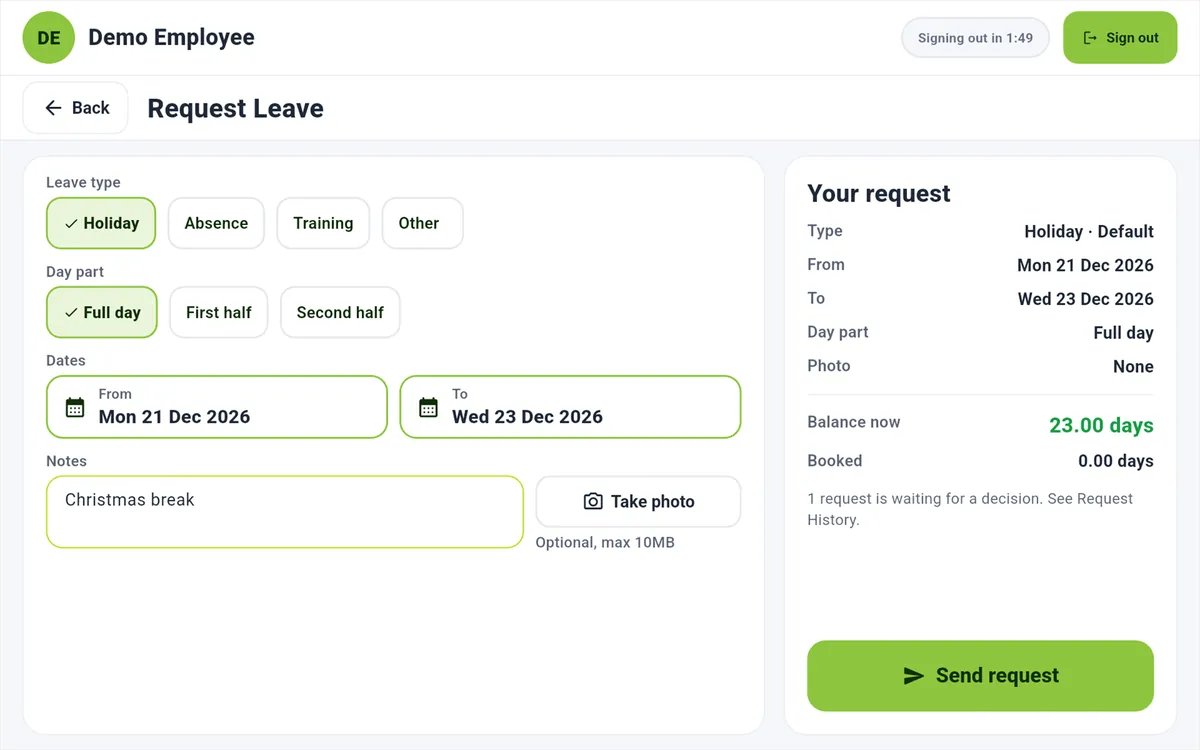
It is a shared tablet where staff sign in to see and manage their own work records, without needing a phone of their own. On Syncro Kiosk from Computime, that means requesting leave, checking holiday entitlement and flexi, and seeing the hours they have worked. It suits warehouses, factories, care homes and shop floors, where a lot of people do not carry a phone at work or would rather not use their own.
Can staff clock in and out at Syncro Kiosk?▼
No. The kiosk is for self service only, so staff still clock at a terminal or on the Syncro Connect app. It is worth knowing before you buy, because some kiosk products do both. If you need a clocking point, our
clocking terminals do that job and feed the same records the kiosk reads from.
How do staff sign in to the kiosk?▼
With the clock number and PIN they already use at the terminal, or by tapping a staff card if you plug a USB card reader into the tablet. There is no email address or password to set up. Card sign-in is optional, and the number and PIN always work, so a forgotten card does not stop anyone booking holiday.
How much does Syncro Kiosk cost?▼
It is included with the Syncro Connect mobile app at £1 per employee per month, on top of £2 for the software, so £3 per employee per month in total, billed annually or monthly, excluding VAT. Fifty staff come to £150 a month, or £1,800 a year. There is no separate charge for the kiosk itself, and no setup fee. You supply the tablet.
Do we need to buy a tablet from Computime?▼
No. Syncro Kiosk runs on your own Android tablet on Android 7 or later, or an iPad on iPadOS 15 or later, used in landscape. Most businesses already have a spare one, or buy an inexpensive tablet and a wall or desk mount. Put it somewhere staff pass every day, such as the canteen or next to the clocking terminal.
Does the kiosk work without wifi?▼
No. Syncro Kiosk needs an internet connection, because it shows live balances and sends requests straight to Syncro Connect. That is different from the Syncro Connect app, which can clock offline and send the record when signal returns. Before you mount the tablet, check the wifi where it is going, not just in the office.
Can the next person see the last person’s details?▼
No. The kiosk signs each person out automatically after a set time without use, between 30 seconds and three minutes, and nothing about them stays on the tablet once they have gone. Each person sees only their own record, plus team and company leave views if you allow them. You are still the data controller, so it is worth telling staff what the kiosk shows and why, and the
ICO’s guidance for organisations is the place to start.
Who approves a leave request made at the kiosk?▼
The same manager who would approve it from the app, in Syncro Connect. A kiosk request is not a separate type of request, so there is no second inbox to check. Once approved it is in the
absence record immediately, and the employee can see the result next time they sign in.
Should our staff use the kiosk or the app?▼
Whichever suits each person, and most sites end up with both. Drivers, engineers and anyone away from site are better on the
Syncro Connect app, because it also clocks them in. People who clock at a terminal and do not want work on their phone use the kiosk. Both come under the same £1 app charge, so you are not choosing between two prices.
Can staff see payslips or their rota on the kiosk?▼
Not payslips, and not rotas yet. Payslips come from your payroll software. Computime sends the approved hours across, but the payslip is issued by payroll, not by us. Rota is coming to Syncro Connect, so if staff checking their shifts is the main reason you are buying, ask us where that work has got to rather than taking a date from a web page.
Where do I log in to Computime?▼
If your employer uses Syncro Connect, use Customer login at the top of this page, which goes to
syncroconnect.com, or sign in through the Syncro Connect app. If your employer runs Realtime, its employee portal has an address specific to your company, so ask your manager for it. We cannot give out access to an employer’s system, so your manager is the quickest route either way.