Management portal FAQs
What managers ask before they start using a dashboard instead of a spreadsheet. If yours is not here, call the Leeds team on 0113 350 9043.
What is a management portal?▼
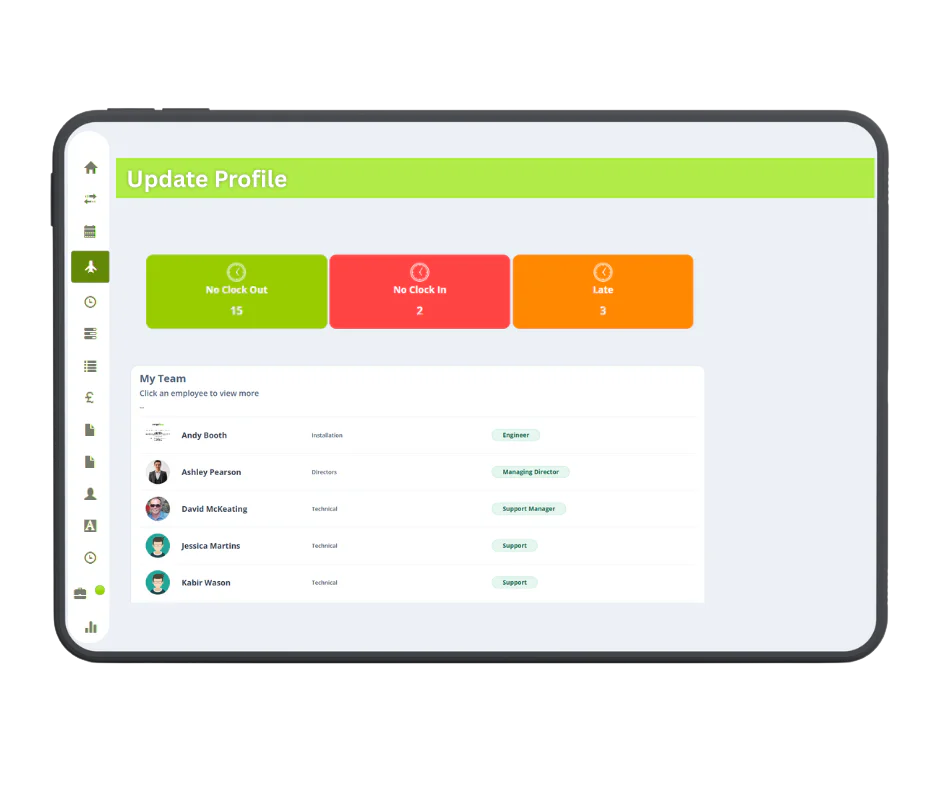
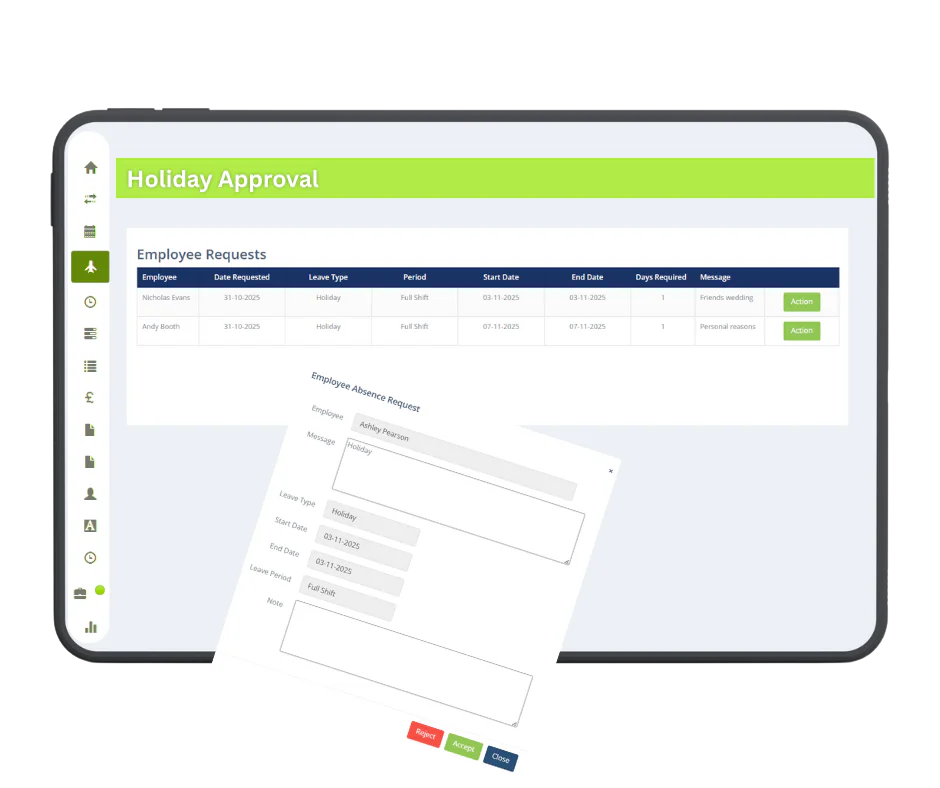
A management portal is a dashboard where a line manager or supervisor handles their team’s time and attendance: seeing who is in, approving holiday and overtime, correcting missed clockings and producing reports. It differs from the admin side of a system in that it shows one manager only what concerns their people, and it differs from an employee portal in that it is about a team rather than an individual record.
Can managers see team status without a full admin login?▼
Yes, and this is the point of having a separate manager view. A supervisor gets access to their own department rather than administrator rights over the whole system, so they can approve, amend and report on their team without being able to change payroll rules or see other departments. It keeps the system safe from well-meaning mistakes and keeps employment records visible only to those who need them, which is what UK GDPR expects.
How does it stop managers chasing timesheets?▼
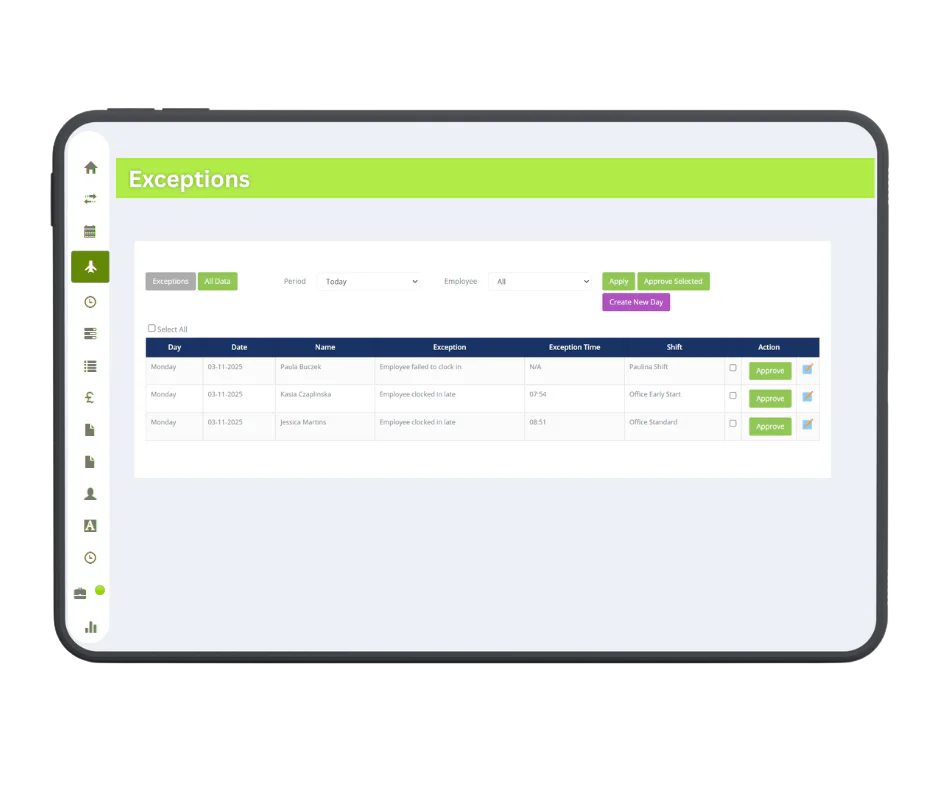
The hours are already there. Because staff clock in and out, the timesheet builds itself, and the manager’s job changes from collecting information to checking the handful of records that look wrong. Instead of emailing people for their hours at month end, you deal with three exceptions on the day they happen. That is usually the difference people notice first.
What counts as an exception?▼
Anything that does not match what was expected: a missing clock in or out, someone starting late or finishing early against their shift, an absence nobody booked, hours that run into overtime, or a clocking that produced an implausible shift length. You decide what gets flagged and how sensitive the thresholds are, because a business with flexible start times wants different rules from a factory with a fixed hooter.
Can a manager change someone’s clocking record?▼
Yes, and every change is recorded with who made it and when. That matters more than it sounds. Someone has to be able to correct a genuinely missed clocking, but a record that can be quietly altered is worth nothing in a dispute. The audit trail is what makes an amended timesheet defensible, and it is the thing a spreadsheet can never give you.
Can we restrict managers to their own department?▼
Yes. Access is set by department, so a supervisor sees their own team and nobody else’s, while administrators see everything. On a site of a few hundred people this is practical as much as anything: a manager does not want to scroll past 380 names to find their twelve.
What reports can managers produce?▼
You build your own rather than picking from a fixed list, combining hours worked, absence, lateness, exceptions and employee details, then save the report and run it again whenever you need it. Common ones are hours for payroll, absence by department, lateness over a period and overtime by cost centre. We will set up the first few with you.
Is the management portal the same as the employee portal?▼
No, they are two sides of the same system. The
employee web portal is where staff request holiday and check their own hours. The management portal is where those requests arrive, where exceptions are dealt with and where reports are produced. Both are part of
Realtime.
Do managers need training to use it?▼
A short session covers it, and we do that as part of setup. Approving holiday and fixing a clocking are straightforward; the part worth walking through is the reporting, because people who are never shown the report builder tend to export everything to a spreadsheet out of habit and lose most of the benefit.
Does it work on a phone or tablet?▼
It runs in a browser, so it works on a tablet and on a phone at a push, though a dashboard covering a whole team is more comfortable on a proper screen. If you want managers approving holiday from their phone as a matter of course, the
Syncro Connect app is built for that and is the better fit.
How does it get hours into payroll?▼
Approved hours pass directly into Sage from Realtime, and export as a standard file for Pegasus and QuickBooks. Nothing is re-keyed, which removes the commonest source of payroll error: someone typing a number from one screen into another at half past four on a Friday.