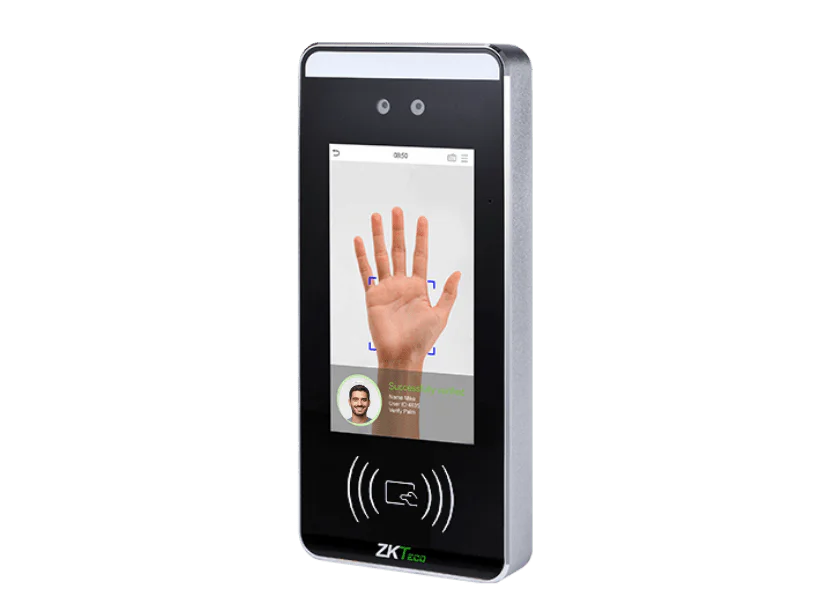
Palm detection FAQs
The palm-specific questions. For consent, DPIAs and data protection generally, see biometric attendance. Or call the Leeds team on 0113 350 9043.
When would we choose palm over fingerprint or face?▼
When hands are dirty, damp or gloved, and when faces are covered. Food production is the clearest example: flour and moisture defeat a
fingerprint reader, and a hairnet and mask make
facial recognition harder, so palm is what is left standing. In a clean office with uncovered faces, fingerprint is usually simpler and quicker to enrol.
Does it work with gloves on?▼
This is the question to settle before you buy, because it depends on the glove. Thin disposable gloves are usually fine; heavy work gloves are not. If your staff wear something specific, tell us what it is and we will test rather than guess, since the answer decides whether the system works for you at all.
Is palm data less sensitive than a fingerprint?▼
No, and it is worth being clear about that. Any biometric used to identify someone is special category data under UK GDPR, whether it is a palm, a fingerprint or a face. Some people feel more comfortable giving a palm than a fingerprint, which is a genuine consideration for staff acceptance, but the legal position is identical and so are the obligations that come with it.
How close do you have to hold your hand?▼
Close, but without touching. Staff learn the right distance within a day or two, and the terminal gives feedback while they are getting used to it. The first week of any biometric rollout involves a few repeated attempts; after that people barely break stride.
Can the same terminal take cards or PINs?▼
Yes, and you will want it to. Somebody who declines biometric enrolment needs a way to clock that does not single them out, and visitors and contractors will not be enrolled. Mixed use at one terminal is normal rather than a compromise.
What happens if the network goes down?▼
Terminals hold their own templates and record clockings locally, syncing when the connection returns, so a network fault does not put you back on paper. It also means removing a leaver has to happen at the terminal as well as in the software, which is worth building into your leaver process from day one.
What does a palm terminal cost?▼
Terminals start at £395 excl. VAT as a one-off, with software separate at £2 per employee per month excl. VAT for
Syncro Connect. See the full
terminal range for specific models.