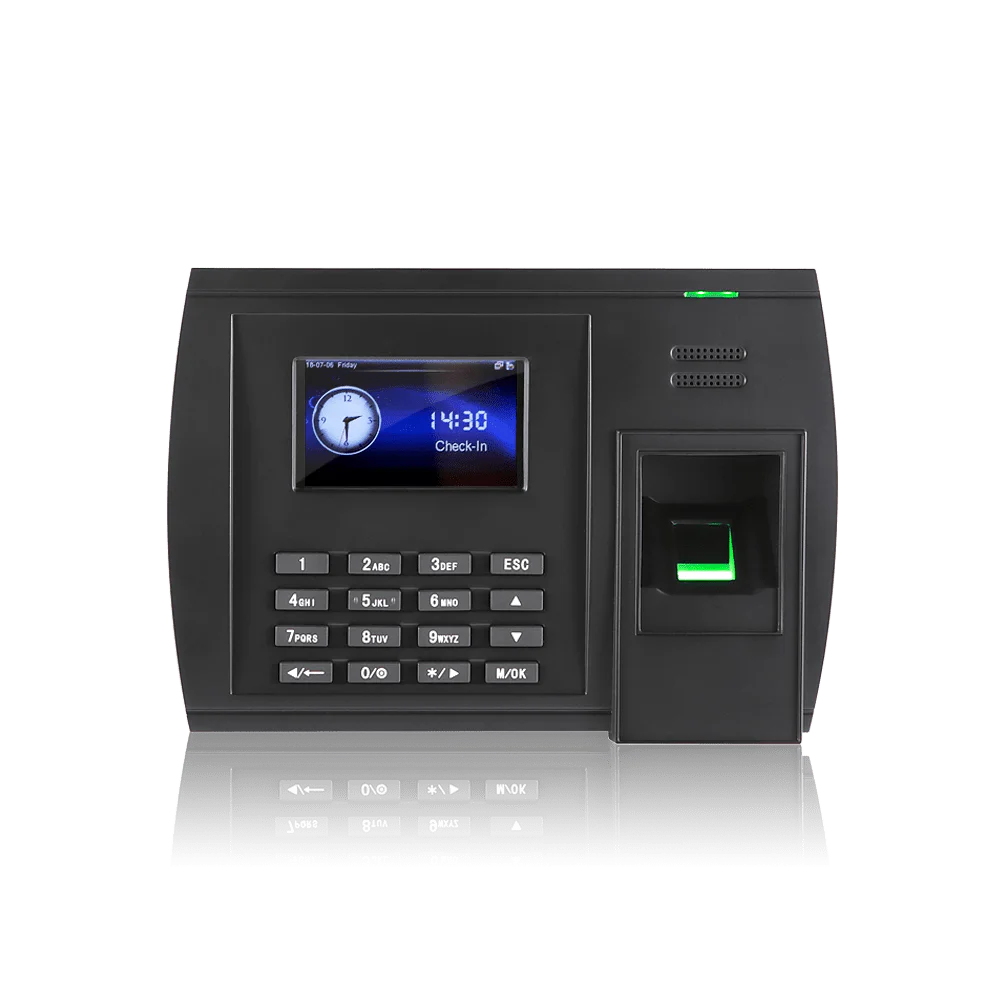
Fingerprint clocking machine FAQs
The hardware questions. For consent, DPIAs and what is stored, see biometric fingerprint. Or call the Leeds team on 0113 350 9043.
How much does a fingerprint clocking machine cost?▼
From £495 excluding VAT as a one off, with larger terminals and dual credential models running higher. The software is separate at £2 per employee per month excl. VAT. Worth knowing that facial recognition starts lower, at £395, so fingerprint is not automatically the cheaper biometric. The
pricing page has the full list and a calculator.
Whose fingerprints will not scan properly?▼
Anyone whose hands are regularly wet, dusty, oily or covered in plaster, and anyone whose prints have worn smooth through manual work. Bricklayers, bakers, mechanics and cleaners are the usual examples, and a small proportion of people have prints that read poorly for no obvious reason. If that describes a fair part of your workforce, start with
facial recognition or
palm rather than discovering it in week two.
How many terminals will we need?▼
It depends on entrances and on how many people arrive at the same moment rather than on headcount. A hundred staff arriving over an hour manage on one. A hundred arriving for a six o’clock start will queue. Tell us what your mornings look like and we will say what you need.
How many fingers should we enrol?▼
Two, one on each hand. A cut, a dressing or a hand in a splint then does not stop somebody clocking in, and it saves a call to us on the morning it happens. Enrolling a single finger works right up until the day it does not.
Can we enrol people without queueing at the terminal?▼
Yes, with a USB enroller, which is fingerprint’s main practical advantage over facial recognition. HR can enrol a department at a time from the office rather than standing at the door on a Monday morning. It takes under a minute a person.
What happens when somebody leaves?▼
You put a leave date against them in the software and the terminal clears their permission automatically. They cannot clock and they cannot open a door, without anyone walking round the site with a laptop. One thing to plan for separately: the biometric template itself stays on the terminal until it is purged, so removing old templates should be part of your data retention process rather than something you assume happened with the leave date.
Does it store our staff’s fingerprints?▼
It stores a template, which is a set of measurements taken from the distinctive points of the scan rather than a picture of the finger, and it is not designed to be turned back into one. It is still biometric data and still special category data under UK GDPR, so it is treated accordingly. Our
data security page sets out where it sits.
What happens if the network goes down?▼
The terminal holds its own templates and records clockings locally, syncing when the connection returns, so a network fault does not mean a morning of paper.
Can the same machine open doors?▼
Yes. The same terminal can clock somebody in and release the door through
access control, so entry and attendance are one event and one enrolment. Break glass units are fitted as standard so anybody can get out by hand, and doors can also be released automatically on the fire alarm where your alarm panel is interfaced to the door hardware, which is agreed at survey.
Can it take cards or PINs as well?▼
Yes, and you will want it to. Somebody who declines biometric enrolment needs a way to clock that does not single them out, and a visitor or contractor will not be enrolled at all. Mixed use at one terminal is normal rather than a workaround.
How long does installation take?▼
A terminal is usually a morning, including power and network. Power over Ethernet often saves running a separate supply to the door, which is worth asking about if the location is awkward.
Syncro Connect itself runs in days.