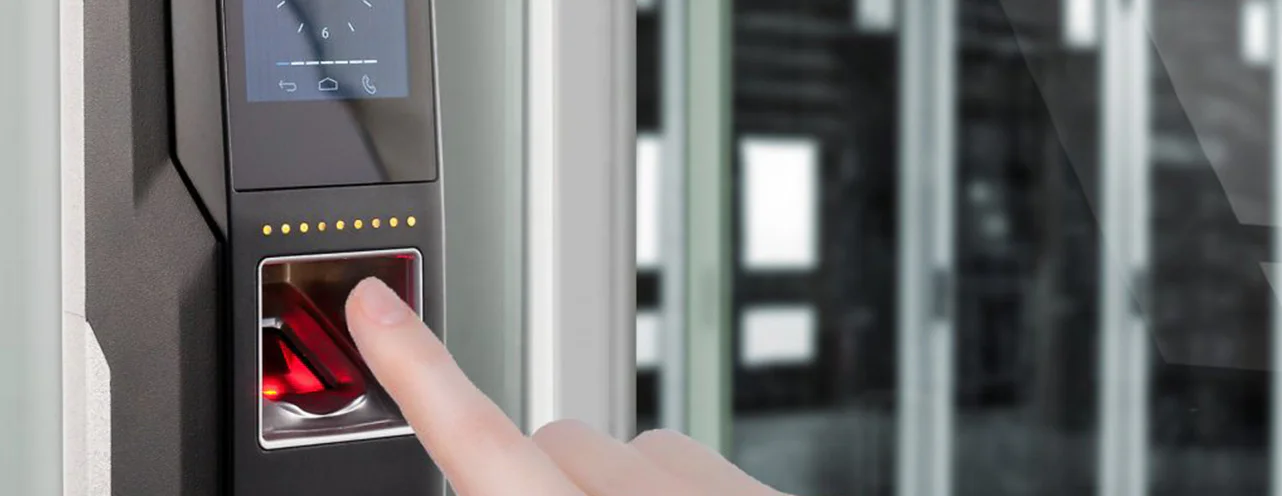
How does a fingerprint clocking in machine work?
A fingerprint clocking in machine records attendance by matching an employee’s finger against a stored template of their fingerprint. When the person is enrolled, the scanner maps the distinctive points of their fingerprint and saves them as a set of numbers rather than a photograph. To clock in, they place the same finger on the sensor, the machine compares the live scan against that template, and the clocking is accepted if the two match. Because the credential is the employee’s own finger, it cannot be lost or forgotten, and is far harder to hand to someone else than a card, which is why fingerprint clocking makes buddy punching so much more difficult.
How a fingerprint clocking in machine works, step by step
Enrolment
The first time an employee uses the system, they are enrolled. The scanner reads their fingerprint and software identifies the minutiae, the points where the ridges of the fingerprint end or meet. It records the relative positions of those points and stores them as a mathematical template. This template, not a picture of the finger, is what the machine keeps and works from.
Clocking in and out
From then on, clocking in takes a second. The employee places the enrolled finger on the sensor, the machine reads it, generates a template from the live scan, and compares it against the stored one. If the two match closely enough, the clocking is accepted and the time is recorded against that person. If they do not match, the clocking is rejected and the employee scans again. Because the match is to a specific individual, every record is tied to the person who actually presented their finger.
What a fingerprint clocking machine actually stores
This is the part that is most often misunderstood, and it is worth being precise about.
A fingerprint clocking machine does not store a library of fingerprint photographs. It stores a biometric template: a set of numbers describing the relative positions of key features in the fingerprint. That template cannot be turned back into a usable fingerprint image, and it would not work on another manufacturer’s system. Storing a template rather than an image is a sensible safeguard, and it is a genuine security benefit of how the technology works.
What it does not do is remove your data protection responsibilities. The template is still your employee’s biometric data. Under UK GDPR, biometric data used to identify a person is classed as special category data, the most protected category of personal information. Storing a template rather than an image is good practice, but it does not put the data outside the scope of the rules, and any supplier who tells you biometric clocking carries no data protection risk is overstating the case. You can read how we handle this on our data security page.
Fingerprint clocking and UK GDPR
Because a fingerprint template is special category data, using a fingerprint clocking machine lawfully takes more than plugging one in. In brief, you need a lawful basis under Article 6 of the UK GDPR, a condition under Article 9 (in practice, usually explicit consent), a Data Protection Impact Assessment completed before you switch anything on, and a genuine alternative such as a card or PIN for anyone who would rather not use their fingerprint.
None of this makes fingerprint clocking a bad choice. It makes it a choice to approach properly. Handled with the right paperwork and a real alternative offered without penalty, it is entirely lawful. Our full guide to UK GDPR and time and attendance data walks through the lawful basis, consent and retention questions in detail.
The advantages of fingerprint clocking systems
The reason so many UK businesses use fingerprint clocking machines comes down to a handful of practical benefits:
- No buddy punching. A finger cannot be handed to a colleague, so one employee cannot clock in for another. This is the single biggest draw for businesses losing time to attendance fraud.
- Nothing to lose or forget. There is no card or fob to leave at home, misplace or replace, and no PIN to share or write down.
- Accurate records. Every clocking is tied to a specific person and timed to the second, which makes for cleaner data feeding into pay.
- Fast in daily use. Once enrolled, a clocking takes about a second, which keeps queues moving at shift changes.
Choosing a fingerprint clocking machine
Not every fingerprint terminal performs equally, and the quality of the biometric fingerprint reader is what separates a reliable system from a frustrating one. When you compare fingerprint clocking in machines, the things that matter most are how well the sensor copes with difficult fingers, how quickly it matches, and whether it offers a fallback.
A good sensor reads cold, dry or slightly worn fingers without repeated rejections, which is the usual complaint with cheaper units. The ability to enrol more than one finger per person helps, so a cut or a plaster does not stop someone clocking in. And a backup method, a PIN or a card alongside the fingerprint, means nobody is ever locked out by a single unreadable scan. You can see the range of terminals on our guide to clocking systems for small businesses, and more detail on the fingerprint hardware itself on our biometric fingerprint page.
Fingerprint is not the only biometric option, and it is not always the right one. In settings where fingers are regularly wet, gloved or damaged, facial recognition can suit better, and where you would rather avoid special category data altogether, a card or fob may be the more sensible route.
See a fingerprint clocking system in action
Questions about fingerprint clocking for your business? Call us on 0113 350 9043.

