GPS clocking FAQs
What employers and their staff ask about GPS on a clocking app. If yours is not here, call the Leeds team on 0113 350 9043.
Does the app track staff throughout the day?▼
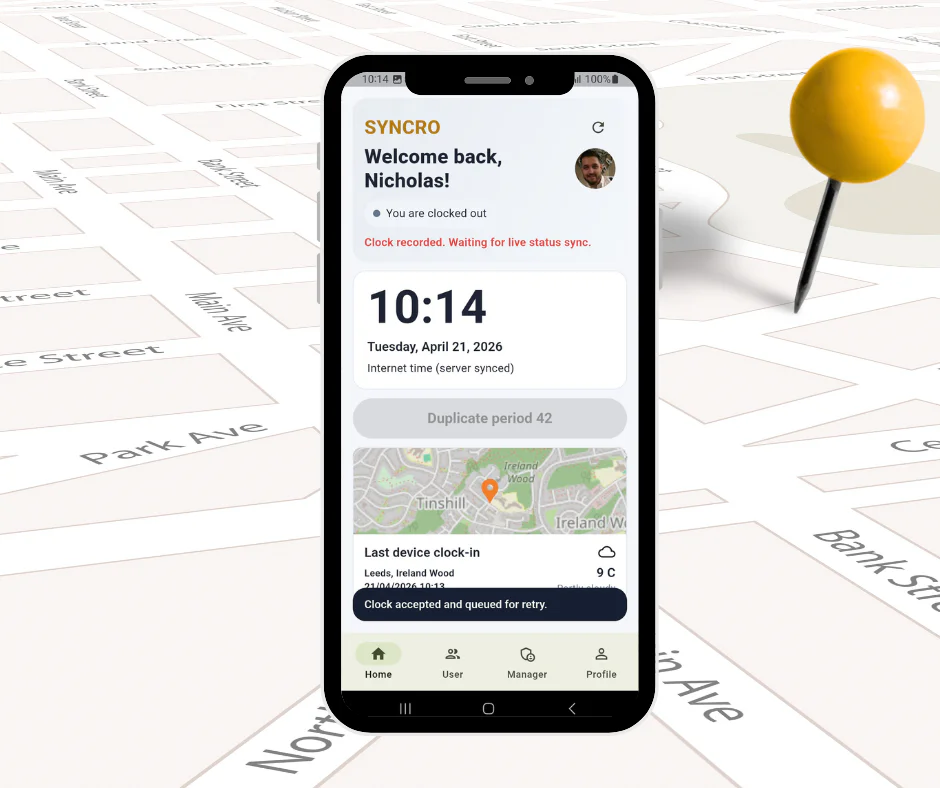
No. Location is captured at the moment someone clocks in and the moment they clock out, and at no point in between. The app is not running in the background following anyone, and it does not know where an employee went at lunchtime or where they live. If you need continuous vehicle tracking, that is a different product from a different kind of supplier, and you would need a much stronger justification for it under UK GDPR.
Is GPS clocking legal in the UK?▼
Yes, provided you handle it properly. Location is personal data under UK GDPR, so you need a lawful basis, you must tell staff what is being recorded and why, and you should keep it no longer than you need it. Recording a location at the point of clocking, for the purpose of knowing where work started, is a proportionate thing to do and straightforward to justify. The
ICO’s guidance on monitoring workers is the place to start, and it is shorter than you might expect.
Will staff object to it?▼
Some will if it appears without warning, and they would be right to ask. What we see is that objections mostly come from people who assume it is continuous tracking, which it is not. Tell your team plainly what is recorded, when, and what it is used for, and most of the resistance goes. It also helps that the app gives them something back: their travel time is recorded properly, their hours are not estimated, and they can see their own timesheet.
Can someone clock in from home and say they were on site?▼
The location stamp shows where the clocking was made, so a clocking made at home looks like a clocking made at home. That is usually enough, because the purpose is not catching people out, it is removing the argument about what time someone started. If you need certainty that a person is physically at a particular place, a fixed
biometric terminal at the entrance is the stronger control.
What if there is no signal on site?▼
The clocking is held on the phone and uploads when signal returns. Nothing is lost and the employee does not have to remember to do anything. This matters more for field teams than anyone expects: plant rooms, basements, rural sites and steel-framed buildings all swallow signal, and a clocking app that only works with full bars is no use on a construction site.
Does it work for trades and field engineers?▼
It is one of the situations it suits best. Someone moving between four jobs in a day clocks at each one, with
travel time recorded separately from working time, so the driving between calls is not lost or guessed at. That gives you an accurate picture of where a field team’s day actually went, rather than eight hours logged against nothing in particular.
Does it use the employee’s own phone?▼
Usually, and there is no per-device charge, so someone changing phone costs you nothing. Anyone who would rather not use their own device, or does not carry one at work, can clock at a
terminal or in a browser instead, and it all feeds one timesheet. Worth agreeing your position on personal devices before rollout, since some employers offer an allowance and others do not.
What does GPS clocking cost?▼
£3 per employee per month excl. VAT, which is £2 for Syncro Connect plus £1 for the mobile app, with GPS included rather than charged as a premium tier. A ten person field team is £30 a month. No setup fees and no per-device charge.
Can we use GPS clocking alongside terminals?▼
Yes, and it is a common arrangement. A terminal in the depot or workshop for people who pass it every morning, the app for engineers and drivers who do not. Both feed the same records, so payroll is working from one place rather than reconciling two systems. Most GPS clocking suppliers are app-only and cannot offer the other half.
How accurate is the location?▼
Accurate enough to tell one job from another, which is what it is for. Phone GPS is generally good to a few metres outdoors and less precise indoors or between tall buildings, which is true of every phone-based system. It will tell you someone clocked in at a particular address; it will not tell you which floor they were on.
Who can see the location data?▼
The employee, their manager and whoever you give admin access to. Access can be restricted by department, so a supervisor sees their own team rather than everyone. Records are held in UK data centres with access logged, and you set the retention period. Our
data security page sets out the detail.