Last updated October 2026
Cloud vs installed workforce software: an honest comparison for UK businesses
The choice between cloud and installed workforce software is really a choice about who does the work of running it, and how you want your team to reach it. Cloud puts the system on the supplier’s servers and lets you use it from any browser or phone. Installed sets the system up for your organisation, which can bring a wider feature set and tighter control. Neither is better in the abstract. This guide compares them on the things that actually decide it for a UK business, then helps you work out which fits.
The short answer
If you want the simplest rollout, the lowest upfront cost, and staff who can clock in from anywhere, cloud is usually the better fit, and it suits remote, field and multi-site teams particularly well. If you want the broadest feature set in one system and a defined implementation, an installed application is worth considering, and modern installed systems often still keep your data in the cloud so you are not giving up off-site backup to get it. Most UK small and medium businesses lean cloud for time and attendance. The deciding factors are how wide a feature set you need and how your people actually work.
Cloud vs installed at a glance
| Factor | Cloud | Installed |
|---|---|---|
| Access | Any browser or app, from anywhere | Through the set-up environment, extendable to more sites |
| Upfront cost | Lower, paid as a subscription | Higher at the start, then lower ongoing |
| Updates | Automatic, handled by the supplier | Managed, often scheduled with the supplier |
| Setup effort | Quick, little to configure locally | More involved, a defined implementation |
| Feature breadth | Focused on core time, attendance and absence | Can be wider, adding HR, site safety and more |
| Offline clocking | App can work offline and sync when signal returns | Core clocking less reliant on a live connection |
| Best suited to | Remote, field and multi-site teams wanting speed | Businesses wanting the widest capability in one system |
What cloud workforce software means
Cloud software runs on the supplier’s servers and is reached through a web browser or a mobile app. There is nothing to install and maintain on your own machines beyond the app on a phone. The supplier looks after hosting, security, backups and updates, and you pay a subscription rather than a large one-off cost.
For workforce management, the practical appeal is reach. A manager can approve holiday from home, a field engineer can clock in from a job on their phone, and a head office can see every site in one place, all without anything installed locally. Good cloud clocking apps also record GPS at the point of clocking and keep working offline, syncing automatically when signal returns, which matters for staff who are not sat at a desk.
What installed workforce software means
Installed software is set up as an application for your organisation rather than accessed purely through a browser. Historically this meant everything lived on a server in a cupboard on your premises. That is no longer the whole picture: many modern installed systems run as an application while storing their data securely in the cloud, so you get off-site backup without giving up the depth an installed system can offer.
The reason to choose installed is usually breadth. Where a cloud product focuses on doing core time, attendance and absence well, an installed platform can bring a much wider set of connected modules into one system, covering HR and document management, fire roll call, visitor management and access control. If you want all of that working together rather than stitched across separate tools, an installed application is where that tends to live.
Head to head on what matters
Access and mobility. Cloud wins for a dispersed workforce. Anyone with a login and a connection is in, and mobile clocking covers people away from a fixed site. Installed systems serve multiple sites well too, but cloud gives the simplest rollout when your people are spread out.
Cost. Cloud has the lower barrier to entry, spread across a subscription, with hosting and maintenance included. Installed can mean more at the start in exchange for a wider feature set. Which works out cheaper over time depends on your headcount, how long you keep the system, and how much you value the supplier handling everything for you.
Updates and maintenance. Cloud updates happen automatically in the background. Installed updates are managed, usually scheduled with the supplier, which some organisations prefer because nothing changes without warning. Either way, with a good supplier you are not doing the work yourself.
Data control and security. This is often misunderstood. Reputable cloud hosting sits in professionally run data centres with encryption, backups and monitoring that most businesses could not match in-house. The security question is less about cloud versus installed and more about the supplier’s practices and your own account controls. Where a modern installed system also stores data in the cloud, the distinction narrows further.
Offline resilience. A common worry about cloud is what happens when the internet drops. Well-designed cloud clocking apps keep working offline and sync later, so clocking continues. Dashboards need a connection to reach. Ask any supplier exactly what keeps working during an outage.
Feature breadth. This is where installed often pulls ahead, bringing HR, site safety and access control into one connected system rather than core attendance alone.
Which model suits your business?
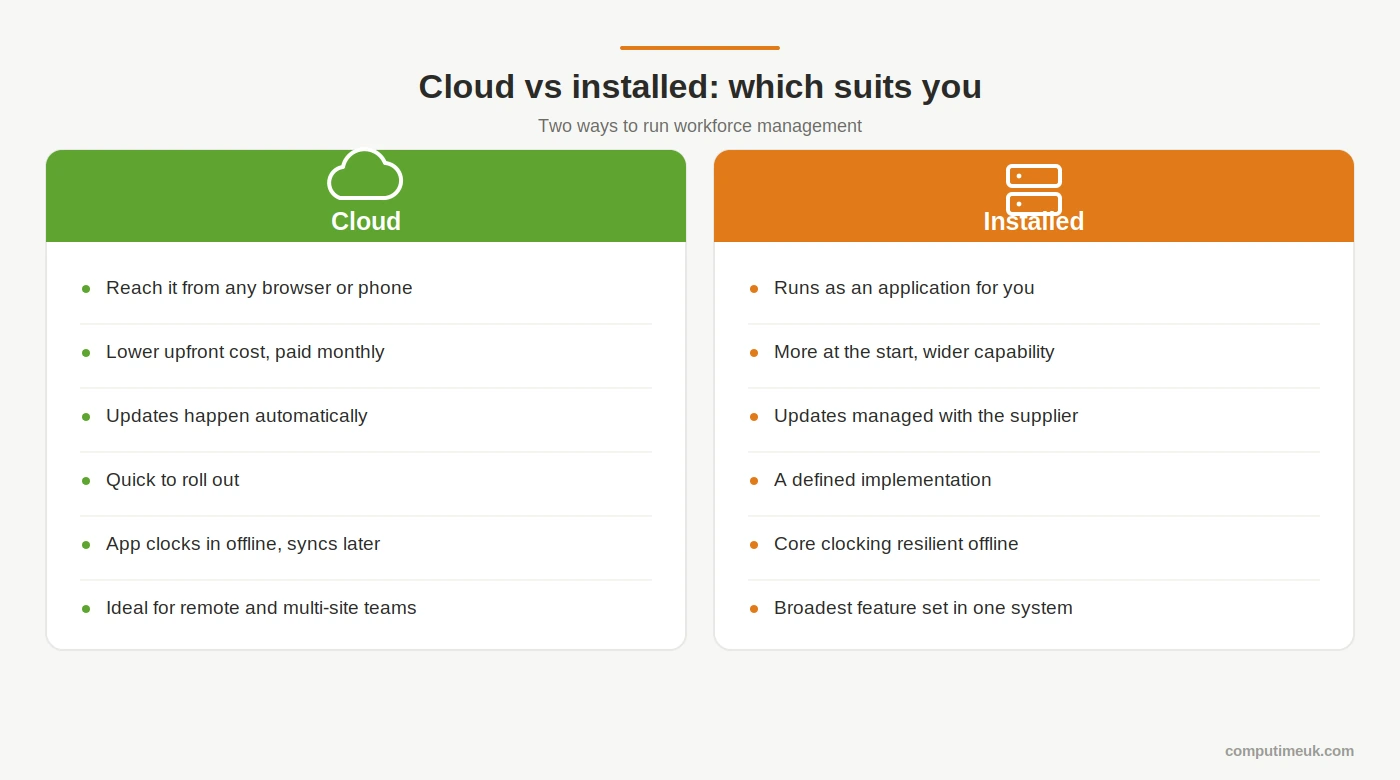
There is no universal answer, but the pattern is fairly consistent. Lean cloud if your priority is a fast, modern system that staff pick up with minimal training, if you have remote, field or mobile workers, and if your core need is time, attendance and absence done well. Lean installed if you want the widest capability in one connected system, if you need HR, document storage, fire roll call, visitor management or access control alongside attendance, and if you are happy to invest a little more in setup for that greater depth.
Try the chooser
Answer the questions below to see which model fits how your business works today. Nothing is recorded or sent anywhere, it runs entirely in your browser.
Where Computime fits
We build both, on the same UK experience, built up since 1989, so the honest answer to “which should we use” depends on your business rather than on us selling one model.
Syncro is our cloud system, reached through any browser or phone, built around speed and ease of use with mobile clocking, GPS and offline sync. It suits teams whose priority is modern, fast time and attendance and absence management, especially where staff are remote or spread across sites.
Realtime is our installed application, with data stored securely in the cloud, and it carries the broadest feature set we offer: HR and document management, fire roll call, visitor management and access control all working together. It suits businesses that want the widest capability in a single connected system.
Both handle the core well, flexible shift patterns, self-service holidays, Bradford Factor scoring and payroll-ready exports, and both are backed by the same Leeds support team. If you have already decided Computime is a contender and want the two put side by side, our Syncro vs Realtime comparison takes you through it feature by feature. For the shared foundation both are built on, our guide to time and attendance software covers it in more detail.
Not sure which model fits your business?

