Retail

Time and attendance for retail, one store or fifty

Part-time hours, students, seasonal starters, people covering at another branch, and a headcount that doubles in November. Retail is not short of staff to keep track of, it is short of anyone with time to do it.

Staff clock in on a terminal in the stockroom if you want one, or on their own phone if you would rather not put hardware in every shop. Both give you the same live view of who is on the floor, store by store.

Hours go through to payroll already worked out, which matters when a good part of your workforce is on varied hours and no two weeks look the same.

From £2 per employee per month excl. VAT · Priced per person, not per store · Free trial, no card required

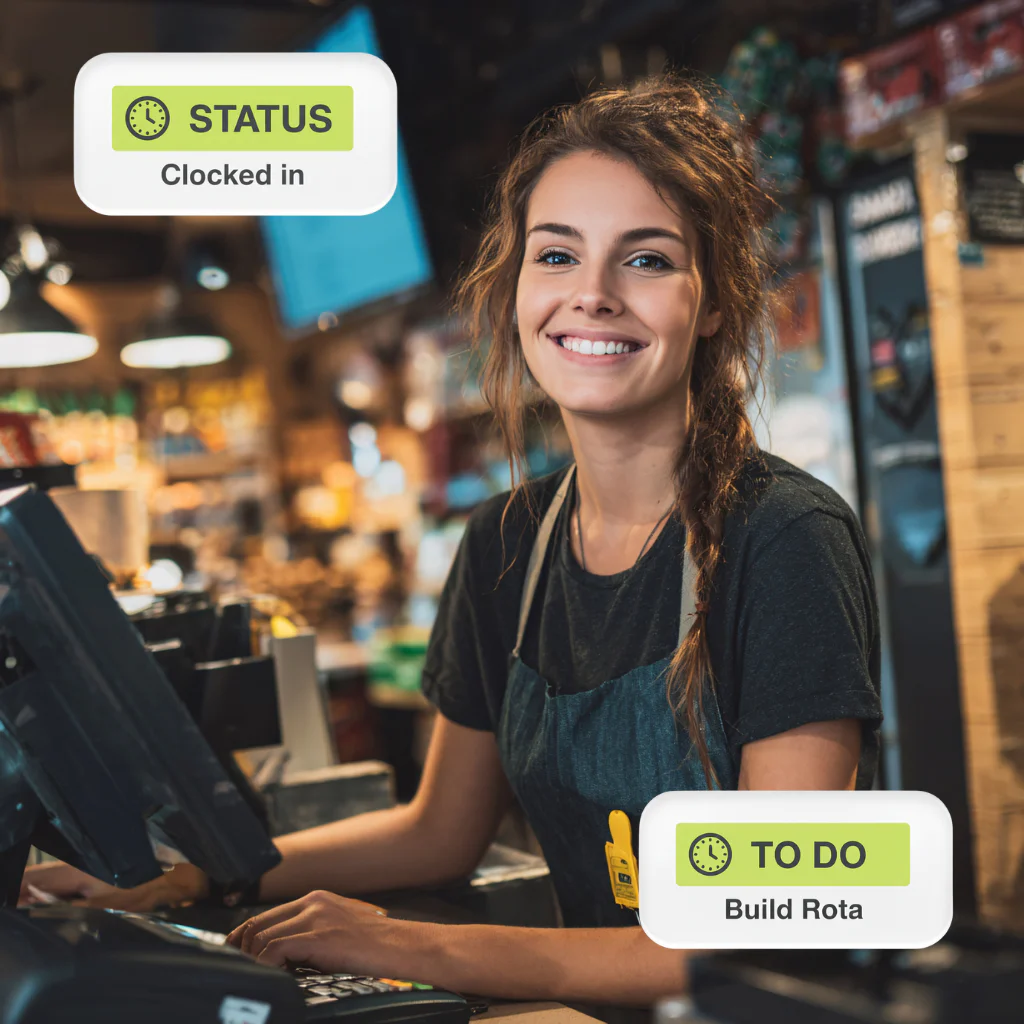
Retail employee clocked in at the till using Computime

Built for retail teams

What is time and attendance software for retail?

It records when shop floor and back office staff start, break and finish, and turns those hours into figures payroll can use without anyone typing them up. Clocking in software is the same thing described from the staff side.

What makes retail different is the number of people on varied hours. A workforce of forty across three shops, half of them part-time and a third of them new since September, produces more timesheet lines than a factory of the same size, and every one of them is somebody’s pay.

The challenges retailers face

Fast-moving, seasonal and spread across sites. These are the ones that come up in every conversation.

Forty new starters in November

Setting them all up, getting them clocking, and taking them off again in January. The admin around a seasonal intake is often bigger than the clocking itself.

Rotas that change all week

Swaps, sickness and last-minute cover, currently living in a spreadsheet and a group chat, with the version somebody worked rarely matching the version that was planned.

Head office cannot see the floor

Whether a store is two people short at eleven on a Saturday is something you find out from the store, if you find out at all.

Hours estimated rather than recorded

A manager writing up what they think people did produces overpayments and underpayments in roughly equal measure, and a conversation about both.

One person clocking in for another

Easy enough with a shared terminal and a busy Saturday. Biometric clocking makes it far harder, though it brings obligations a card does not.

Who can reach the stockroom

Stockrooms, tills and cash offices restricted to the right staff through access control, with a record of who went in and when.

Everything you need to manage your retail team

One system for clocking, rotas, payroll and access, across one store or the whole estate.

Clocking with or without hardware

The app on staff phones, or a biometric or card terminal in the stockroom. Different stores can do it differently.

Fast rota building

Create and adjust staff rotas in minutes, then share them with the team.

Every store on one screen

Who is on shift, who is late and who has not arrived, across the estate, without ringing round.

Payroll without the rekeying

Approved hours exported for Sage, Pegasus and QuickBooks, with direct Sage integration on Realtime.

Staff answering their own questions

Rotas, holiday requests and their own hours, from their phone rather than from a store manager on a Saturday.

Back of house restricted

Stockrooms and cash offices limited to the staff who should be in them, with access control recording who was.

What changes once it is in

Five things retailers tell us are different, usually within the first couple of pay runs.

Payroll stops being a day of collecting and checking

Overtime is something you approve rather than discover

A store being short is visible from head office, not reported later

Arguments about hours are settled by looking rather than remembering

A seasonal intake is an afternoon of setup rather than a fortnight of chasing

Start your free trial
Book a demo

Free trial · No card required

How it works

From somebody arriving for a shift to the hours reaching payroll, in five steps.

  1. Staff clock in

    On the app, a terminal or a card, whichever that store uses.

  2. The hours are recorded

    As they happen rather than written up later, and held in UK data centres with access logged.

  3. Managers see the floor

    Who is on shift, late or absent, in every store, from a phone or a desk.

  4. Rotas and approvals

    Build rotas, approve hours and handle shift changes in one place, with anything that looks wrong flagged.

  5. Straight to payroll

    Approved hours exported for Sage, Pegasus and QuickBooks, with direct Sage integration on Realtime.

The pressures facing UK retail

Thin margins and a workforce that turns over faster than almost any other sector. Both make the hours worth getting right first time.

50%+

average annual staff turnover in UK retail, far above the national average

BRC HR Benchmark

2.8m

people employed in UK retail, almost 10% of all UK jobs

BRC and ONS, 2025

Where accurate records help

Turnover at that level means a constant stream of starters, leavers and first pay runs, and every one is an opportunity to get somebody’s pay wrong.

Hours, breaks and overtime recorded

Which is the evidence behind the working time regulations and the minimum wage, with rounding applied the same way every time rather than at a manager’s discretion.

Something to point at in a dispute

A time-stamped record of every shift and every amendment, which is a better answer than two people remembering a Tuesday differently.

First pay run right

A new starter paid correctly the first time is a small thing that matters a great deal in a sector where people leave over less.

Back of house restricted

Stockrooms, tills and cash offices limited to authorised staff through access control, with a record of who went where.

From £2 per employee per month

Excluding VAT, charged per person rather than per store, with no setup fee. Annual billing is standard and monthly is available. See full pricing.

Why choose Computime?

For over 35 years, since 1989, we have been recording what UK workforces actually work. Retail is a good test of that, because a hundred people on varied hours across six shops produces more ways to get pay wrong than a factory of the same size.

We make the terminals as well as the software, so you can put hardware in the stores that want it and use the app everywhere else, without dealing with two suppliers. Hours export for Sage, Pegasus and QuickBooks, with direct Sage integration on Realtime.

Built and supported by our own team in Leeds, with no minimum headcount and room to scale to 5,000 employees. When you call, you speak to someone here.

800+

UK businesses trust Computime systems

35+

years of UK workforce experience since 1989

4.5

average from 41 Google reviews

UK

based support team on hand when you need them

What our customers say

We are really pleased with our Computime solution. Introducing this system means that payroll is now processed accurately and efficiently, helping to boost morale both for our head office staff and our field teams. Real time data means we know where our employees are, allowing us to operate more efficiently.

James Dunlop

Financial Manager, Landworth Electrics

We are very pleased with the smooth implementation. Computime worked very hard to make sure installation was completed within the time frame and with minimum disruption. The in-depth training allowed us to focus on production and keeping our employees safe at work while ensuring efficiency.

Clare Barker

HR Manager, Wholebake Limited

I was tasked with sourcing a computerised time and attendance solution to replace our manual clocking system. The Computime website contained all the information I needed, making the decision straightforward. The software proved easy to use and the helpdesk was very helpful and friendly. Computime have exceeded all of our expectations and objectives. I would definitely recommend them.

Purchasing Manager

BSK Laminating

Retail time and attendance FAQs

What retailers ask before putting a system in. If yours is not here, call the Leeds team on 0113 350 9043.

Can we track hours without putting clocking devices in every store?
Yes, and for a lot of smaller retailers that is the sensible answer. Staff clock in on the app on their own phone, or in a browser on whatever computer is already in the back office, and you get the same records without hardware in each shop. Terminals make sense where the store is big enough to have a queue at opening or where you would rather not rely on personal phones, and you can mix the two across an estate.
What suits multi-store retailers best?
One system covering every store rather than one per site, which sounds obvious but is not how everybody sells it. Look for pricing per person rather than per location, a manager view scoped to their own store, and somebody covering at another branch carrying one record rather than being set up twice. Head office wanting to see the whole estate on one screen is the other requirement, and it is the one that usually gets left out.
Does it cost more per store?
No. £2 per employee per month excl. VAT regardless of how many shops they are spread across, so six stores of eight people costs the same as one store of forty-eight. Per-location pricing is common in this market and it penalises exactly the retailers who need multi-site visibility most, so it is worth checking with anyone you speak to.
How quickly can we add seasonal staff?
A minute each, and taking them off again is quicker. For a November intake that is an afternoon rather than a fortnight of chasing paperwork. If you use cards, they issue and cancel in seconds, and access can be set to expire on a date so nobody is still carrying working entry to the stockroom in February.
What stops one person clocking in for another?
With a card or a shared terminal, nothing much. Biometric clocking makes it far harder, since a fingerprint cannot be handed over in the staff room, though it brings consent obligations a card does not and staff need telling about it properly. On the app, the location is recorded at the clocking, so somebody clocking in from home looks like somebody clocking in from home.
Do part-time and variable hours cause a problem?
No, that is the normal case rather than an exception. People on different contracted hours, students working two evenings a week, somebody doing eight hours one week and twenty the next: it is all recorded the same way and calculated against whatever rules you set. Variable hours are exactly where estimating goes wrong, so they are where recording earns its keep.
Does it connect to our till or EPOS system?
Not directly. We record hours and hand them to payroll; sales, stock and till operation belong in your EPOS or retail system. If you were hoping for labour hours matched against sales by hour, that comes from putting our hours alongside your sales data rather than from an integration between the two, and it is worth being clear about that before you buy.
Will staff be happy using it?
Generally, provided it is quick and they can see their own hours. Retail staff on variable hours have a real interest in accurate recording, because being paid for the extra twenty minutes at closing depends on somebody having noted it. Where it goes wrong is when clocking is slow or when nobody explained why it appeared.
Can staff clock in on their own phones if we have no hardware?
Yes, and there is no charge per device, so somebody changing phone costs nothing. Anyone who would rather not use a personal phone can clock in a browser on a back office machine instead. It is worth agreeing your position on personal devices before rollout, since some retailers offer an allowance and others do not, and it is a question that will be asked.
How long does it take to set up?
Days if you are using the app, plus installation if you want terminals. The work is agreeing the rules: contracted hours, when overtime starts, how breaks are handled, what happens when somebody stays late to cash up. You can start a free trial and try it in one store before committing the estate.

Start A Conversation

Retail time and attendance FAQs

What retailers ask before putting a system in. If yours is not here, call the Leeds team on 0113 350 9043.

Can we track hours without putting clocking devices in every store?
Yes, and for a lot of smaller retailers that is the sensible answer. Staff clock in on the app on their own phone, or in a browser on whatever computer is already in the back office, and you get the same records without hardware in each shop. Terminals make sense where the store is big enough to have a queue at opening or where you would rather not rely on personal phones, and you can mix the two across an estate.
What suits multi-store retailers best?
One system covering every store rather than one per site, which sounds obvious but is not how everybody sells it. Look for pricing per person rather than per location, a manager view scoped to their own store, and somebody covering at another branch carrying one record rather than being set up twice. Head office wanting to see the whole estate on one screen is the other requirement, and it is the one that usually gets left out.
Does it cost more per store?
No. £2 per employee per month excl. VAT regardless of how many shops they are spread across, so six stores of eight people costs the same as one store of forty-eight. Per-location pricing is common in this market and it penalises exactly the retailers who need multi-site visibility most, so it is worth checking with anyone you speak to.
How quickly can we add seasonal staff?
A minute each, and taking them off again is quicker. For a November intake that is an afternoon rather than a fortnight of chasing paperwork. If you use cards, they issue and cancel in seconds, and access can be set to expire on a date so nobody is still carrying working entry to the stockroom in February.
What stops one person clocking in for another?
With a card or a shared terminal, nothing much. Biometric clocking makes it far harder, since a fingerprint cannot be handed over in the staff room, though it brings consent obligations a card does not and staff need telling about it properly. On the app, the location is recorded at the clocking, so somebody clocking in from home looks like somebody clocking in from home.
Do part-time and variable hours cause a problem?
No, that is the normal case rather than an exception. People on different contracted hours, students working two evenings a week, somebody doing eight hours one week and twenty the next: it is all recorded the same way and calculated against whatever rules you set. Variable hours are exactly where estimating goes wrong, so they are where recording earns its keep.
Does it connect to our till or EPOS system?
Not directly. We record hours and hand them to payroll; sales, stock and till operation belong in your EPOS or retail system. If you were hoping for labour hours matched against sales by hour, that comes from putting our hours alongside your sales data rather than from an integration between the two, and it is worth being clear about that before you buy.
Will staff be happy using it?
Generally, provided it is quick and they can see their own hours. Retail staff on variable hours have a real interest in accurate recording, because being paid for the extra twenty minutes at closing depends on somebody having noted it. Where it goes wrong is when clocking is slow or when nobody explained why it appeared.
Can staff clock in on their own phones if we have no hardware?
Yes, and there is no charge per device, so somebody changing phone costs nothing. Anyone who would rather not use a personal phone can clock in a browser on a back office machine instead. It is worth agreeing your position on personal devices before rollout, since some retailers offer an allowance and others do not, and it is a question that will be asked.
How long does it take to set up?
Days if you are using the app, plus installation if you want terminals. The work is agreeing the rules: contracted hours, when overtime starts, how breaks are handled, what happens when somebody stays late to cash up. You can start a free trial and try it in one store before committing the estate.
Left Menu Icon