The basics

What is visitor management software?

Visitor management software is a digital system that records and manages everyone who visits your premises. It replaces the paper sign-in book with tablet or QR check-in, automatic host notifications, visitor badge printing and a live record of who is on site, so you know at any moment how many people are in the building and who they came to see.

It also closes a gap most businesses have not thought about. A paper sign-in book shows every arriving visitor the names, companies and car registrations of everyone before them, which is a disclosure of personal data you did not intend to make. Digital check-in keeps each visitor’s details to themselves, and gives you records you can actually search when you need them. See the ICO’s UK GDPR guidance for what that means for your own records.

Digital visitor check-in

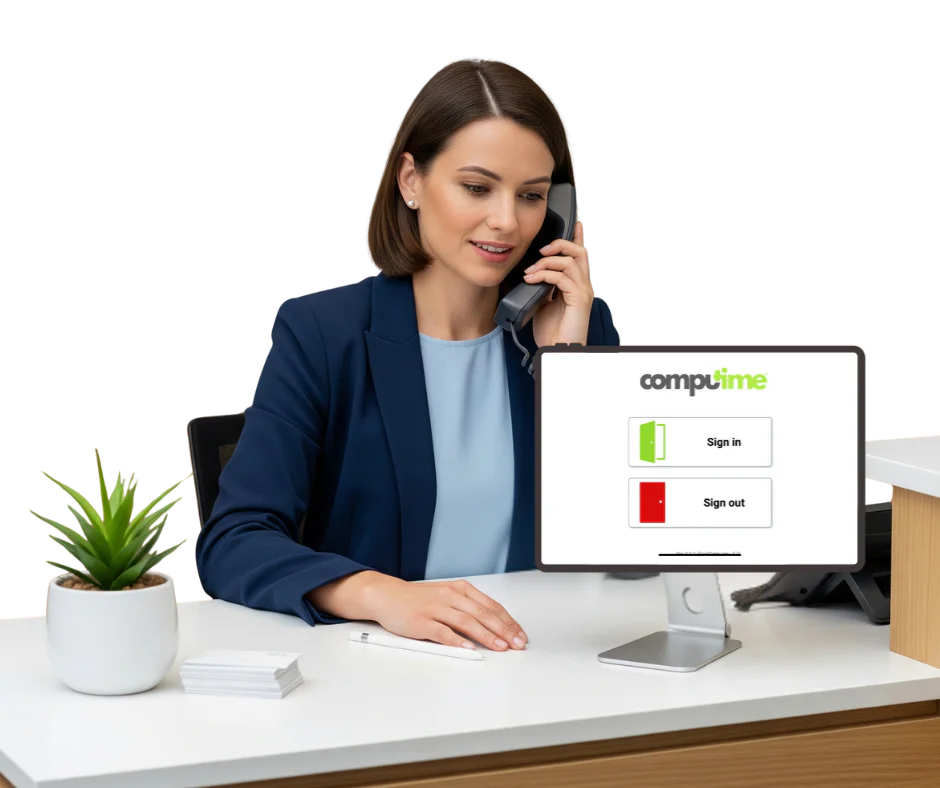
Give visitors a smooth arrival from the moment they walk in. Reception is not tied up writing names into a book, the host knows their guest has arrived without being telephoned, and you have an accurate record of who is in the building.

Visitors pre-register before they arrive and receive a QR code by email. On arrival they scan it to check in within seconds, with no paperwork and no queue. Anyone turning up unannounced signs in on the tablet instead, and answers whatever questions you have set, from site safety rules to who they are visiting.

It works alongside your access control and fire roll call systems, so visitors are accounted for both day to day and in an evacuation.

  • Pre-book visitors and check them in by QR code scan
  • Sign in unannounced arrivals on a tablet at reception
  • Ask your own questions at sign in, from safety rules to NDAs
  • Notify the host automatically when their visitor arrives
  • Print a visitor badge on arrival
  • See who is on site at any moment, staff and visitors together
  • Keep searchable records instead of a shelf of old sign-in books

How visitor management software works

  1. Pre-register visitors

    Invite and register visitors before they arrive using email invitations, and send them a QR code to check in with.

  2. Check in on arrival

    Guests scan their QR code, or sign themselves in at a tablet kiosk if they arrive unannounced, answering whatever questions you have set.

  3. The host is notified

    As soon as a visitor checks in, their host is notified automatically, so reception is not chasing people around the building.

  4. A badge prints on arrival

    A visitor badge prints automatically with their name, who they are visiting and the date, so anyone on site can see at a glance that they have signed in.

  5. You can see who is on site

    A live record of everyone currently signed in, alongside staff from your time and attendance system, with sign out recorded when they leave.

  6. Visitors appear on the fire roll call

    If the alarm sounds, signed-in visitors are on the same list as staff in the fire roll call, rather than being someone’s problem to remember.

Syncro Connect visitor management on two reception tablets, showing the idle welcome screen and the visitor sign in screen with new visitor, recent visitor and QR scanner options

Know who is in the building, and prove it

A sign-in book tells you who wrote their name down. A visitor management system gives you a record you can actually rely on: who arrived, who they came to see, what they agreed to on the way in, and whether they have signed out.

It also keeps each visitor’s details private rather than on display to the next person through the door, which is the part a paper book gets wrong under UK GDPR. It works alongside access control and supports your health and safety procedures.

  • Digital visitor records, held in the UK
  • Photo capture at sign in
  • Visitor access permissions you control
  • Live view of who is on site
  • Visitors on the fire roll call
  • Searchable logs for audits
  • Bespoke sign in questions
  • Contractors and repeat visitors handled

The old way

Paper sign-in book

  • Slow, with queues at reception
  • Every visitor can read the entries before theirs
  • No live evacuation list

The Computime way

Digital visitor management

  • QR check-in in seconds
  • Each visitor’s details kept to themselves
  • Visitors on the live roll call automatically

Why replace paper visitor books?

A paper book is slow at the desk, unreadable a month later, and shows every arriving visitor the details of everyone before them. It also cannot tell you who is in the building when the alarm goes off, which is the moment it matters most. Digital check-in fixes all three, and links straight to your fire roll call.

What changes day to day:

  • Reception is not writing names into a book
  • Hosts are notified without a phone call
  • Details are typed by the visitor, so they are legible
  • You can see who is on site without walking to the desk
  • Records are searchable rather than in a cupboard
  • Safety rules are agreed before anyone is on site

Who uses visitor management software

The reason for signing visitors in changes by sector. These are the ones we most commonly supply.

Manufacturing

Contractors agree to site safety rules on the tablet before they set foot on the floor, and appear on the roll call if the alarm sounds. Manufacturing

Warehousing and logistics

Drivers and delivery contractors sign in and out through the day without tying up the office, and the record shows who was on site and when. Logistics

Corporate offices

Visitors pre-register and scan in on arrival, the host is notified without a phone call, and reception is not the bottleneck at nine o’clock.

Healthcare

Contractors, agency staff and external visitors are recorded separately from patients and staff, with details kept private rather than on an open book. Healthcare and NHS

Construction

A workforce that changes daily, so knowing exactly who is on site matters more here than anywhere. Inductions and site rules can be part of signing in. Construction

Retail

Contractors and temporary staff entering stock rooms and back of house areas are recorded, rather than being waved through by whoever is nearest. Retail

Schools and education

Visitors, contractors and supply staff signed in and badged, with a record of who was on site. We cover this in more detail for schools and education.

Why choose Computime visitor management software?

Most visitor management systems are standalone sign-in apps. Ours is a module on the workforce system you already run, so signed-in visitors appear on the same records as your staff, including the fire roll call. It works alongside your time and attendance and access control.

Based in Leeds and supporting more than 800 UK businesses for over 35 years. We build and support everything ourselves, so when you call you speak to someone who knows the product.

  • £495 a year excl. VAT, flat, whatever your headcount
  • Visitors on the fire roll call automatically
  • Set your own sign in questions and site rules
  • Data held in the UK, access logged and restricted
  • Set up and configured for you before you go live
  • Leeds based training and support

800+

UK businesses trust Computime systems

35+

years of UK workforce experience since 1989

4.4

from 23 Trustpilot reviews

£495

a year excl. VAT, whatever your headcount

What our customers say

“

We are really pleased with our Computime solution. Introducing this system means that payroll is now processed accurately and efficiently, helping to boost morale both for our head office staff and our field teams. Real time data means we know where our employees are, allowing us to operate more efficiently.

James Dunlop

Financial Manager, Landworth Electrics

“

We are very pleased with the smooth implementation. Computime worked very hard to make sure installation was completed within the time frame and with minimum disruption. The in-depth training allowed us to focus on production and keeping our employees safe at work while ensuring efficiency.

Clare Barker

HR Manager, Wholebake Limited

“

I was tasked with sourcing a computerised time and attendance solution to replace our manual clocking system. The Computime website contained all the information I needed, making the decision straightforward. The software proved easy to use and the helpdesk was very helpful and friendly. Computime have exceeded all of our expectations and objectives. I would definitely recommend them.

Purchasing Manager

BSK Laminating

Visitor management FAQs

What UK businesses ask before replacing the sign-in book. If yours is not here, call the Leeds team on 0113 350 9043.

Are paper visitor books a GDPR problem?
They can be, and it is the part most businesses have never considered. Every arriving visitor can read the names, employers, car registrations and sometimes phone numbers of everyone before them, which is a disclosure of personal data you did not intend and cannot control. Old books also sit in a drawer for years with no retention policy. None of that automatically breaches UK GDPR, but it is difficult to justify if anyone asks, and it is easily avoided. The ICO’s guidance sets out the principles that apply.
Is a visitor sign in book a legal requirement in the UK?
No law says you must keep a visitor book specifically. What the law does require is that you can account for everyone on your premises in an evacuation, under the Regulatory Reform (Fire Safety) Order 2005 in England and Wales, with equivalent legislation in Scotland and Northern Ireland. Signing visitors in is how most organisations meet that, and your fire risk assessment should say how you do it. The method is your choice; being able to show it works is not.
How long should we keep visitor records?
There is no fixed period in law. UK GDPR says personal data should be kept no longer than necessary for the purpose you collected it for, so you set a retention period and stick to it. Many organisations settle on somewhere between a month and a year depending on why they hold the data, with longer for sites where contractor records matter. The practical advantage of a digital system is that you can actually apply a retention rule, which nobody does with a shelf of old books.
What does visitor management software cost?
Ours is £495 a year excl. VAT, flat, whatever your headcount and however many visitors you have. Most of the market charges per location or per user, which gets expensive across multiple sites. It is a module on Syncro Connect or Realtime, so you need one of those in place. If you are only after visitor sign in and nothing else, a standalone app may suit you better and we will say so.
Do visitors need to download an app?
No, and they would not thank you for it. Pre-registered visitors get a QR code by email and scan it at reception. Anyone arriving unannounced signs in on the tablet. Nothing to install, no account to create, no password to forget on the way to a meeting.
What happens if a visitor forgets to sign out?
They stay on the on-site list, which is the safe default: better that a roll call flags someone who has already left than misses someone who has not. Reception can sign them out manually, and it is worth checking the list at the end of the day. It is the same problem a paper book has, except you can see it and fix it rather than discovering it at the assembly point.
Can we ask visitors to agree to site rules or an NDA at sign in?
Yes. You set your own questions and documents, so a contractor can confirm they have read your site safety rules, or a visitor can accept an NDA, before they are through the door. The agreement is recorded against their visit rather than on a form in a folder. On manufacturing and construction sites this is usually the reason people move off paper in the first place.
Does it work if we have several sites?
Yes, and the flat price covers all of them. Each site has its own visitor list and its own reception setup, while you see everything centrally. That is where per-location pricing elsewhere in the market starts to hurt, because a business with six receptions pays six times over.
What hardware do we need?
A tablet at reception for sign in, and a label printer if you want badges. We can supply both, or you can use a tablet you already have. Tell us how your reception works and we will tell you what you actually need rather than what makes the biggest order.
How is this different from a standalone sign in app?
A standalone app signs visitors in and stops there. Ours runs on the same system as your staff clocking, so visitors and employees appear on one list, including the fire roll call, and the same records feed access control. If you do not run a workforce system and do not intend to, a standalone app is a fair choice and there are good ones.
How long does it take to set up?
Days rather than weeks. Most of the work is deciding what you want to ask visitors and who hosts get notified as, which we set up with you before you go live. The tablet arrives configured, so reception is not working it out on the morning it goes in.
Left Menu Icon
