The basics

What is clocking in software?

Clocking in software, also known as time and attendance software, is a workforce management tool that records when employees start and finish work. It replaces manual timesheets and spreadsheets with automated software, giving businesses a single, reliable source of truth for employee hours.

  • Records employee attendance in real time
  • Monitors lateness, absence and overtime
  • Stores accurate digital timesheets
  • Sends approved hours to payroll, with exports for Sage, Pegasus and QuickBooks
  • Provides detailed reporting and analytics

How clocking in software works

  1. Employee clocks in

    Using a biometric device, mobile app, RFID card or browser portal.

  2. Time is recorded instantly

    Data is stored in a central cloud based system, held in the UK with access logged and restricted to named users.

  3. Attendance data is processed

    Including breaks, lateness and overtime calculations, using your own rules.

  4. Managers access real time reports

    For scheduling, productivity and workforce insights.

  5. Payroll export

    Approved hours export as a standard file ready for Sage, Pegasus and QuickBooks.

  6. Outcome

    Less admin, fewer errors

    Remove the need for manual data entry and reduce costly payroll errors.

Every hour, tied to the right person

Manual timesheets rely on memory and trust. Clocking in software records the real start and finish of every shift, so the hours you pay for are the hours that were actually worked, across every site and every team.

Key benefits of clocking in software

Improve accuracy and cut errors

Automated time tracking removes manual input mistakes, and biometric clocking makes it far harder for one person to clock in for another.

Reduce payroll costs

Accurate data means staff are paid correctly, with no overpayments or costly miscalculations to chase later.

Save administrative time

Replace spreadsheets and manual timesheets, freeing up HR and management every pay period.

Real time workforce visibility

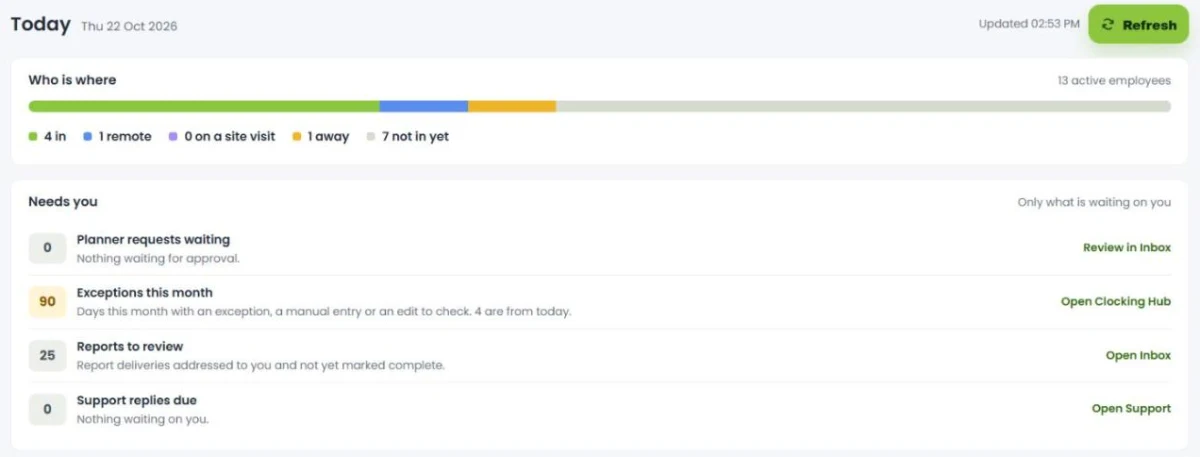
See who is working, where they are, and when, across every site from one dashboard.

Support remote and mobile teams

The GPS mobile app lets employees clock in from anywhere while keeping accountability.

Ready for payroll

Approved hours export as a standard file ready for Sage, Pegasus and QuickBooks.

Why accurate clocking matters

When the hours going into payroll are wrong, the cost lands on the business. UK figures show why getting clocking right at source is the simplest safeguard.

25%

of UK employees have received an incorrect pay cheque

Global Payroll Association

£5.8m

recovered by HMRC for more than 25,200 underpaid UK workers in a single year

HMRC, 2024 to 2025

£20,000

maximum HMRC penalty per worker for underpaying the minimum wage

HMRC, National Minimum Wage Act

The payroll body CIPP names unpaid working time as a common cause of underpayment. Accurate clocking is the simplest way to avoid it. Start your free trial and capture the right hours from day one.

Key features

Clocking in software is one part of a connected workforce platform. Explore the features that matter most to your team.

GPS mobile app

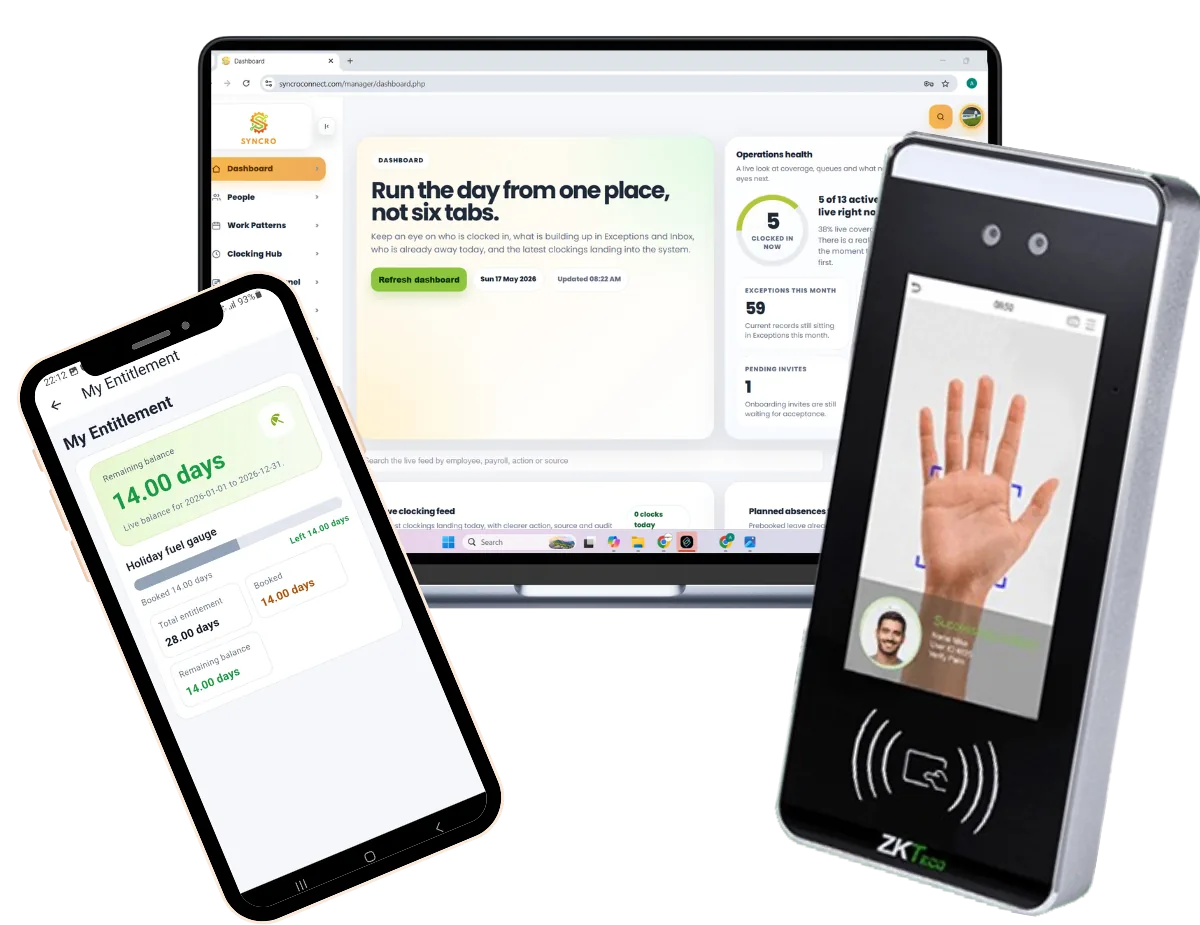
Staff clock in from any location, with GPS recorded at the point of clocking for full accountability.

Learn more

Payroll export

Approved hours export as a standard file ready for Sage, Pegasus and QuickBooks, with no manual re-keying.

Learn more

Biometric and hardware

Works with fingerprint, facial recognition and RFID clocking terminals, as well as the app and browser.

Learn more

Absence management

Holiday requests, approvals, live entitlement balances and Bradford Factor reporting, all from the same records.

Learn more

Fire roll call

Generate a live list of who is on site in an evacuation, drawn straight from who is clocked in.

Learn more

Access control

Control who comes through your doors using the same credentials staff clock in with, on the same records.

Learn more

Designed for UK businesses across all industries

Our clocking in software is used across a wide range of sectors, and every system is configured to match how your business actually works.

Implementation and support

We set the system up for you, so the move to clocking in software is smooth with minimal disruption to your business.

  1. One point of contact

    Someone who knows your business and owns the rollout from start to finish, rather than a ticket queue.

  2. Your database built before you go live

    Staff records, shift patterns and pay rules set up around how your team actually works, rather than handing you an empty system.

  3. Rules configured to your business

    Rotating shifts, split shifts, rounding rules, break deductions, overtime thresholds and departments, all set up for you.

  4. Hardware fitted if you need it

    If you are using clocking terminals, they arrive already configured, and our own team fits and tests them on site. If you are clocking by app or browser, there is nothing to install.

  5. Staff training and onboarding

    Clear training for managers and employees, so the whole team is confident using the system quickly.

  6. Ongoing UK based support

    A Leeds team on hand when you need them, not an overseas call centre. UK support since 1989.

Clocking in software vs manual timesheets vs basic apps

How dedicated clocking in software compares with paper timesheets and basic clocking apps, across the things that affect accuracy, cost and compliance.

Comparison of clocking in software, manual timesheets and basic clocking apps
Feature Clocking in software Manual timesheets Basic clocking apps
Time tracking method Automated: biometric, app, browser or RFID Handwritten or spreadsheets Mobile app only
Accuracy High Low Medium
Payroll Exports ready for Sage, Pegasus and QuickBooks Re-keyed by hand Limited
Real time data Yes No Partial
Admin time required Low High Medium
Fewer errors No manual entry, so far fewer mistakes Every hour typed twice Limited
Clocking on someone else’s behalf Much harder, with biometric and GPS verification Nothing to stop it Limited checks
Remote working support Full, with a GPS enabled app None Yes
Reporting and analytics Detailed reports you can build yourself None Basic
Compliance records An auditable record of hours worked, which is what UK working time rules expect you to hold Hard to evidence Limited
Scalability High, across multiple sites and users Poor Medium
Cost From £2 per employee per month excl. VAT Free, until you count the admin time and the payroll errors Varies

See how Computime compares for your team. Start your free trial or see full pricing.

Simple, transparent pricing

Clocking in software from £2 per employee per month

£2 per employee per month, excl. VAT

Add the GPS mobile app for £1 per employee a month, making £3 in total. No setup fees, billed annually or monthly.

Clocking in software FAQs

The questions businesses ask before they choose a system. If yours is not here, call the Leeds team on 0113 350 9043.

Is clocking in software worth it for a small business?
Usually yes, and the maths is simple to check. At £2 per employee per month excl. VAT, a 20 person business pays £40 a month. If collating timesheets takes someone two hours a week, the software has paid for itself before you count a single payroll correction. Where it is less clear cut is a very small team on fixed hours who all start at the same time, in which case we will tell you so.
Is clocking in software legal in the UK?
Yes. Recording working time is not only legal, it is expected: UK working time rules require employers to keep adequate records of hours worked. What matters is how you do it. Clocking data is personal data under UK GDPR, so staff should be told what is recorded and why, and biometric clocking is special category data needing a lawful basis and usually a data protection impact assessment. Our UK GDPR guide covers what you need in place.
Will staff object to being monitored?
Some will if it is introduced badly. The concern is usually surveillance rather than clocking itself, so it helps to be clear about what is and is not recorded: a clocking system records when someone starts and finishes, not what they do in between, and GPS is captured at the moment of clocking rather than continuously. Staff also get something out of it, since overtime and hours worked are recorded accurately rather than remembered. Telling people before you roll it out, rather than after, makes the difference.
Do we have to use biometrics?
No. Plenty of customers clock in by RFID card or fob, by browser, or through the mobile app, and never touch a fingerprint reader. Biometrics make it much harder for one person to clock in for another, which is why some sites choose them, but they bring UK GDPR obligations with them. Our biometric versus RFID comparison sets out the trade-off.
Can it handle our shift patterns and overtime rules?
Yes, and we configure it for you rather than handing you a blank system. Rotating shifts, split shifts, night rates, rounding rules, break deductions, overtime thresholds and multi-site rules are all normal for us. If your rules are the reason a spreadsheet stopped working, tell us what they are and we will show you the system handling them.
Do we need clocking terminals, or is the app enough?
The app is enough for a lot of businesses, particularly field and office teams. Terminals make sense where staff do not carry phones at work, where you want a fixed point everyone passes, or where you need certainty that the person clocking is the person working. Plenty of sites run both: a terminal on the factory door and the app for everyone else, feeding the same system.
How does it get hours into payroll?
Once hours are approved, the system produces a standard export file ready for Sage, Pegasus and QuickBooks, so nothing is re-keyed by hand. Our Realtime system integrates with Sage Payroll directly rather than via an export. If you run a payroll package we have not listed, tell us which and we will confirm what the export looks like before you commit.
What happens if someone forgets to clock in?
The system flags it as an anomaly rather than silently losing the shift, and a manager amends the record with an audit trail showing who changed what and when. That is one of the real advantages over paper: a missed clocking is visible on the day rather than discovered on payroll day.
How long does it take to set up?
Days rather than weeks for a cloud setup. We build your database around your staff, shift patterns and pay rules before you go live, and any terminals arrive already configured. You can also start a free trial and see your first clocking within minutes, without speaking to anyone.
Can we try it before committing?
Yes. The free trial needs no card and no commitment, and gives you full access to the software, the mobile app and absence management. If you have complicated shift rules, a demo is usually more useful, because we can show the system handling your situation rather than a generic example.

Start A Conversation

Left Menu Icon