The basics

What is a school visitor management system?

A school visitor management system records everyone who comes onto the site, replacing the book on the reception counter with a sign in screen, a printed badge and a searchable record. At any point somebody can answer the question of who is in the building, which a paper book cannot do once the page is full and the person has left without signing out.

It is one part of a school’s safeguarding arrangements rather than the whole of them. It does not check anybody’s DBS status, maintain your single central record or decide who should be allowed in, and no supplier should suggest otherwise. What it does is make sure that whoever came in was recorded, badged, and can be accounted for if the alarm sounds.

School visitor management

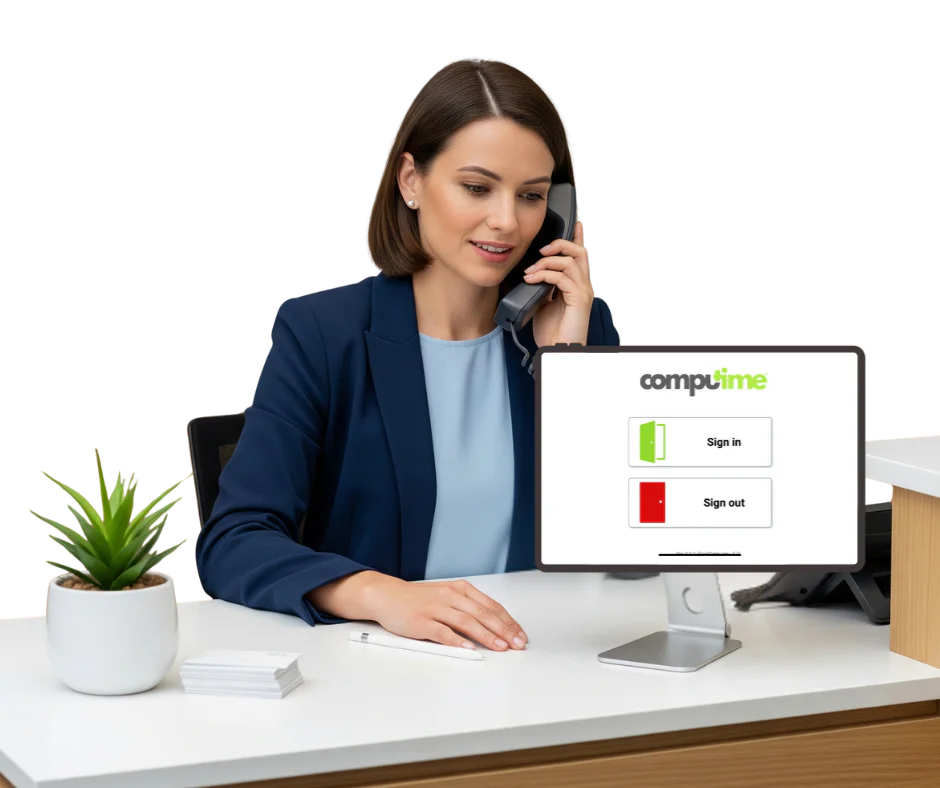
Digital sign in for the school office

Replaces the sign in book with a screen at reception, a printed badge and a record you can search. The office knows who is on site, and when somebody asks six months later who visited on a particular afternoon, the answer exists.

What it does

  • Sign in at a tablet, in under a minute
  • A badge with a photo, printed on arrival
  • Site rules shown at sign in, and acknowledged
  • Visitors on the fire roll call with staff
  • A searchable history rather than a filing cabinet

What that changes

  • Anybody on site is wearing a badge, so an unbadged adult is noticed
  • The record exists when a governor, an inspector or a parent asks
  • Reception is not writing in a book while three people wait
  • Contractors and supply staff are accounted for like everyone else

Used by

  • Primary schools
  • Secondary schools
  • Multi-academy trusts
  • Colleges and sixth forms

Staff time tracking for schools

TAs, support staff, site teams and supply

Teaching staff on salaried contracts are straightforward. It is everyone else that takes the time: teaching assistants on term time only hours, midday supervisors doing an hour a day, the site manager who was here at six unlocking, and supply staff who were in for three days last week.

Our time and attendance records all of them properly, so the school business manager is not reconstructing a month from memory and emails.

  • Hours for TAs, support, catering and site staff
  • Term time only patterns, including the weeks nobody is in
  • Banked hours and time owed calculated rather than remembered
  • Supply staff hours recorded, to check against the agency invoice
  • Exported for Sage, Pegasus and QuickBooks, with direct Sage integration on Realtime

Start your free trial

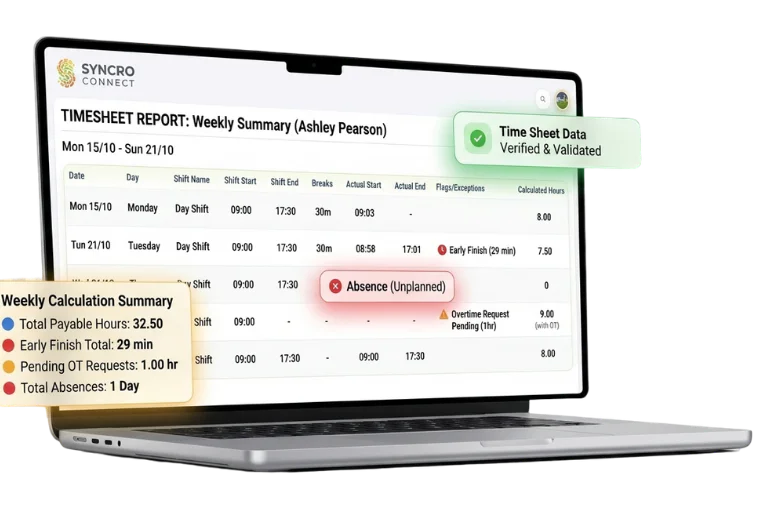
Computime timesheet showing tracked hours for school support staff

Access control for schools

Doors that keep people out, not in

Access control restricts who can come through a door and records who did, by role and by time of day, across one site or a whole trust. Break glass units are fitted as standard so nobody is ever held inside by a locked door, and automatic release on the fire alarm is designed in where your alarm panel is interfaced to the doors. In a school that is worth settling at survey rather than discovering during a drill.

What it does

  • Card, fob or biometric entry, whichever suits the door
  • Permissions by role, so not everyone reaches the server room
  • Time restrictions, so a cleaner’s card works in the evening and not at two in the morning
  • A record of every entry and every refused attempt
  • Break glass release on controlled doors as standard

Why schools ask for it

  • A door that only opens for somebody with a reason to come through it
  • A leave date clears their access at the readers, without changing a lock or reissuing keys
  • Several buildings or a whole trust managed from one place
  • The same credential that clocks staff in, rather than two things to carry

Fire roll call and emergency management

In an emergency, every second counts. Computime’s fire roll call app pulls live data from your visitor and staff systems, so you always know exactly who is on-site and can account for everyone quickly and confidently.

Instant access to live evacuation lists

Live updates from your visitor and staff systems

Accurate roll calls during a drill or real emergency

Stronger compliance with safety procedures

Fire roll call app on a smartphone showing a live evacuation checklist for school staff and visitors

Four things, one set of records

Most schools buy these separately and end up with four systems that each know part of the answer. On one system, the visitor at reception and the TA who clocked in at eight are on the same list when the alarm goes.

Visitor management

Sign in, badge and record, at the reception desk

Access control

Who comes through which door, and when

Staff time tracking

Hours for everyone who is not on a salaried contract

Fire roll call

Staff and visitors on one list, on a phone at the gate

Start your free trial
Book a demo

Free trial · No card required

Coming soon

Education Connect

We are putting the finishing touches to Education Connect, built specifically for schools, colleges and multi-academy trusts. Visitor management, access control, staff time tracking and fire roll call in one place, set up the way a school actually runs rather than adapted from something built for a factory.

If you would like to see it when it is ready, tell us and we will come back to you.

The shape of the sector

Large workforces on varied contracts, and more schools than ever run centrally as part of a trust. Both change what a school needs from its systems.

984,600

staff in state-funded schools in England, most of them not on a standard salaried contract

DfE School Workforce

58%

of pupils attend an academy, usually within a trust that wants oversight across every school

DfE Schools and Pupils

9m+

pupils in England, in buildings where knowing which adults are inside is a daily job

DfE Schools and Pupils

Why schools choose Computime

There are good visitor systems for schools and we are not the only one. These are the reasons schools pick us.

Visitors and staff hours together

Most school sign in suppliers do visitors and stop there, which leaves the TA and midday supervisor hours on a spreadsheet. We do both, which is usually why schools come to us.

One list when the alarm goes

Staff and signed-in visitors on the same roll call, on a phone at the gate, rather than a printed list somebody left in the office.

We make the doors too

Sign in, staff hours and access control from one supplier, so a problem at the door is one phone call rather than three companies pointing at each other.

A trust seen from one place

Every school on one system with each site’s staff visible to their own office, and central oversight for the trust without ringing round.

Straight about what we do not do

We are not an MIS, we do not check DBS status or hold your single central record, and we do not do pupil attendance. Knowing that early saves everybody a wasted meeting.

Somebody in Leeds to ring

Over 35 years, since 1989, and a UK team on the phone during term time when the sign in tablet stops working on a Monday morning.

Why choose Computime?

For over 35 years, since 1989, we have been recording who is on a site and what hours they worked. Schools are a particular version of that: a reception desk that needs to know who came in, and a workforce where most people are not on a standard contract.

Hours export for Sage, Pegasus and QuickBooks, with direct Sage integration on Realtime.

Built and supported by our own team in Leeds, scaling from one school to a trust of thirty. When you call, you speak to someone here.

800+

UK organisations trust Computime systems

35+

years in UK workforce and access systems, since 1989

4

systems in one: visitors, access, staff hours and roll call

UK

based support team on hand when you need them

School visitor and staff sign in FAQs

What schools and trusts ask before changing how they sign people in. If yours is not here, call the Leeds team on 0113 350 9043.

Does this replace our MIS?
No. SIMS, Arbor, Bromcom and the rest hold pupil records, registration, assessment and reporting, and we do none of that. We cover the adults: who signed in at reception, what hours support staff worked, and who can come through which door. If it is an MIS you are looking for, we are not it, and it is better to know that now.
Do you do pupil attendance and registration?
No. Pupil attendance is a statutory return with its own codes and rules and it belongs in your MIS. Everything on this page is about staff and visitors. It is a common mix-up because “school attendance software” reads both ways, so worth stating plainly.
Does it check DBS or maintain our single central record?
No. The single central record is your responsibility under Keeping Children Safe in Education, and no visitor system maintains it for you. A sign in system records that somebody came in and gives them a badge. It does not know whether they should have been let in, and any supplier implying otherwise is overselling something that matters too much to oversell.
How does it help with safeguarding then?
In three practical ways. Everybody on site who should be there is wearing a badge, so an adult without one is visible. There is a record of who was in the building on any given day, which is what gets asked for afterwards. And when the alarm sounds, visitors and contractors are on the same list as staff rather than being remembered by whoever signed them in. That is a useful contribution to safeguarding arrangements rather than a substitute for them.
What about term time only staff?
Handled as a pattern rather than an exception, including the weeks when nobody is in. Term time only contracts, midday supervisors doing an hour a day, and TAs on varied hours are the group that takes the most time in a school office, and they are the reason schools look at this at all rather than the teaching staff, who are salaried and straightforward.
Can we use it across a multi-academy trust?
Yes, with every school on one system and each office seeing its own site, plus central oversight for the trust. Somebody who works across two schools carries one record rather than existing twice. Pricing is per person rather than per school, which matters when a trust is a lot of small sites rather than a few large ones.
Is there a free school visitor management system?
There are free and very cheap options and some schools use them happily, particularly small primaries signing in a handful of visitors a week. What they generally do not include is badge printing, integration with a fire roll call, staff hours, or somebody to ring when it stops working. Ours is a paid product and we would rather explain what the money buys than pretend the free ones do not exist.
What does a badge show?
Name, photograph, who they are visiting and the date, printed on arrival. Worth saying plainly that the photograph confirms the badge belongs to the person wearing it; it does not verify who they are. Establishing that is a matter for whoever is expecting them.
How do we handle parents at pick-up and school events?
Most schools do not sign in a hundred parents for a nativity, and a system that insisted on it would be abandoned by December. Signing in is for people coming into the building during the day: contractors, supply staff, visitors, peripatetic teachers. Where the line sits is your decision and worth agreeing before rollout rather than discovering it at the first assembly.
Where is the data held?
In UK data centres with access logged and restricted. Visitor records and staff hours are personal data, and you set how long they are kept, which is worth deciding rather than defaulting to forever. If you use biometrics for staff clocking, those templates are special category data and bring consent obligations. Our data security page covers it.
What does it cost?
Visitor management is £495 a year excl. VAT as a module. Staff time and attendance is £2 per employee per month excl. VAT, charged per person rather than per school. Access control is quoted per site, since it depends on how many doors and what is already fitted. Tell us what you have and we will put a figure on it.
How long does it take to set up?
The visitor side is quick, essentially a tablet at reception and a printer. Staff time and attendance takes a conversation about contracts and patterns, which is the part worth doing carefully. Most schools start over a holiday so the office is not learning something new during a busy week.
Start A Conversation

Left Menu Icon