Absence-management
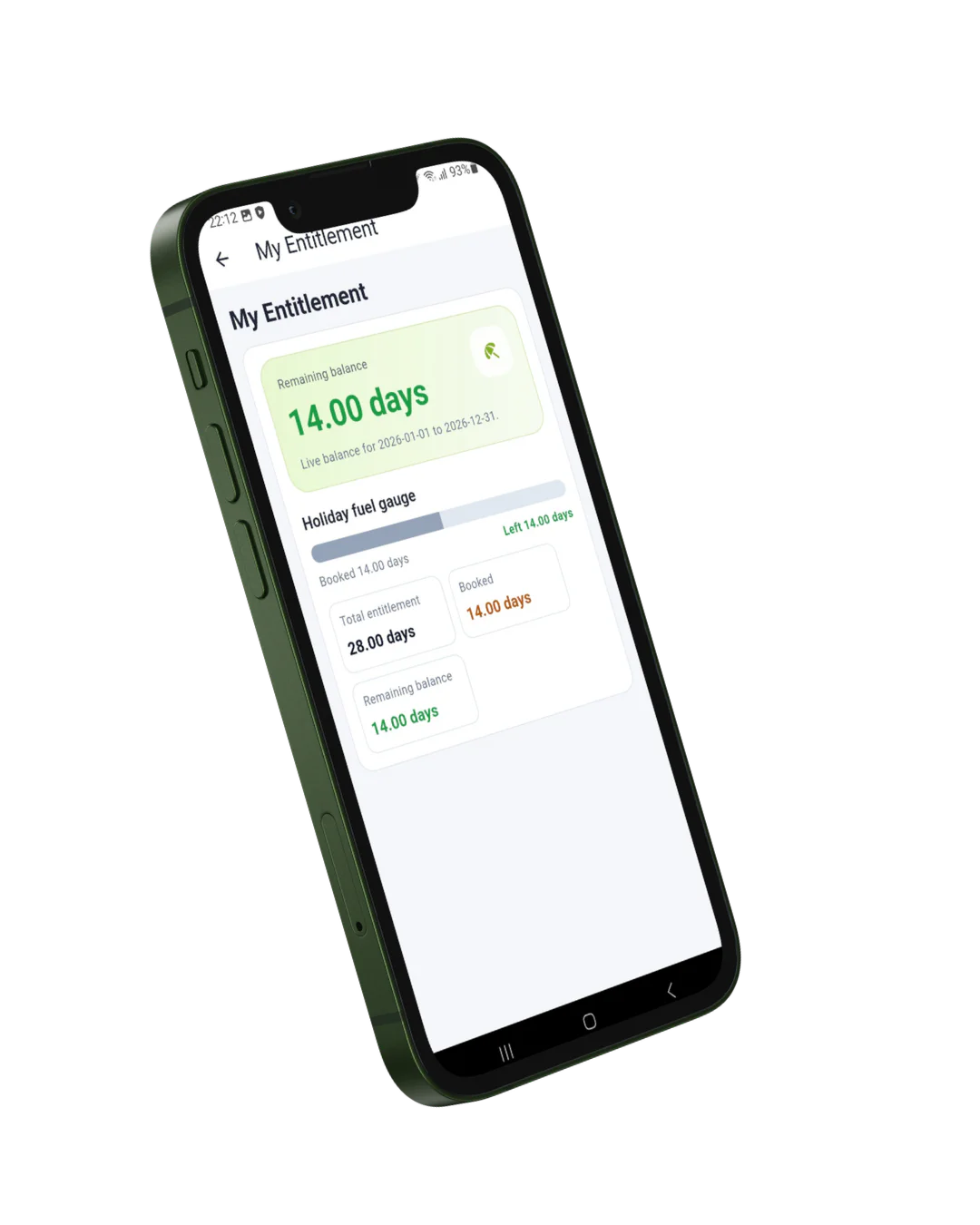
Syncro app My Entitlement screen

What Can Employees Do in the App?

The Syncro Connect absence management app gives every employee a simple, intuitive self service portal on their iOS or Android device. No more contacting HR for basic queries employees have everything they need at their fingertips.

Request Holidays

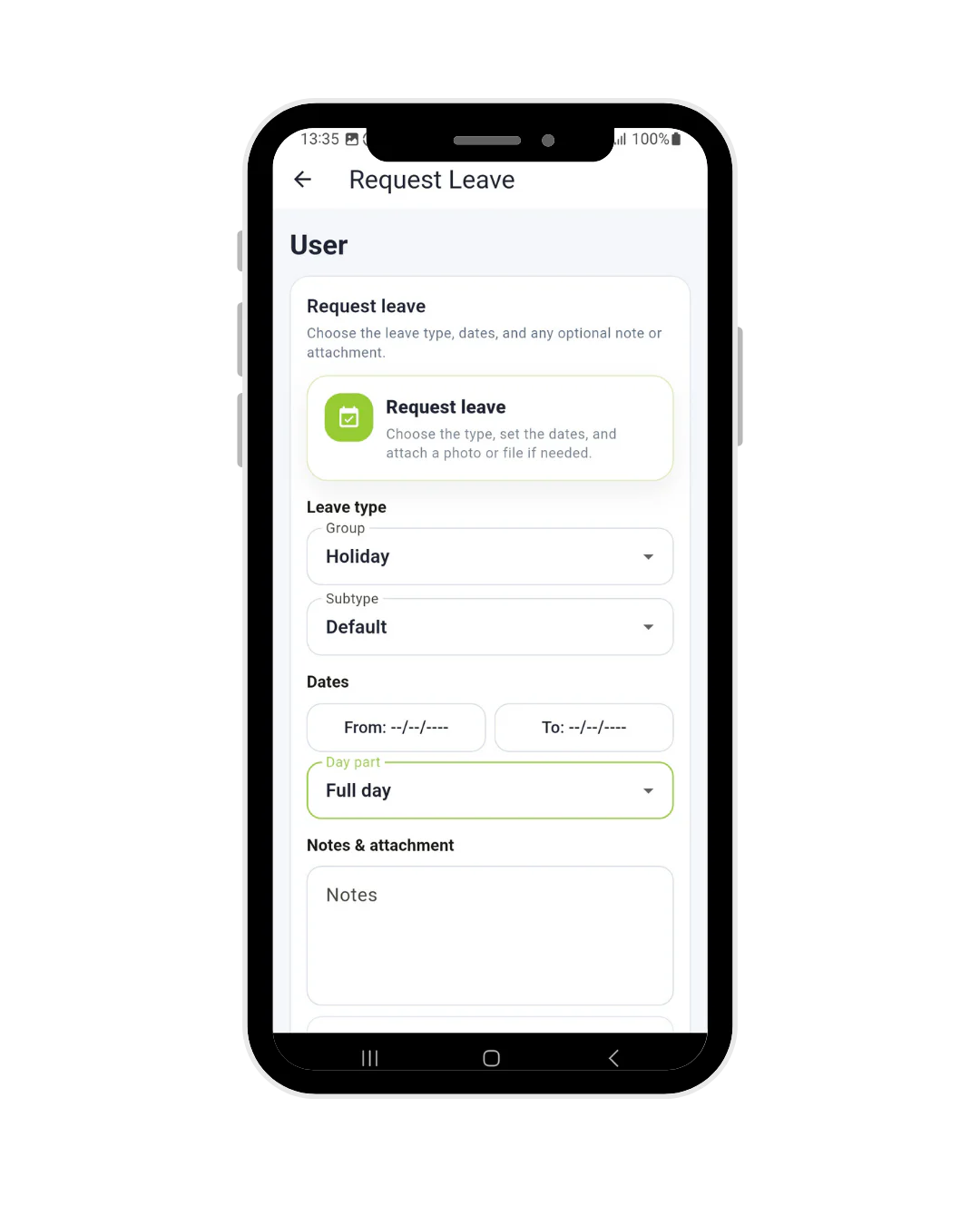
Employees submit holiday requests directly through the app in seconds. Select the dates, choose the leave type — full day, half day, or custom — and send for manager approval instantly. No forms, no emails, no waiting.

Check Holiday Entitlement

Employees can check their remaining holiday balance at any time through the My Entitlement screen. Total allowance, days booked, and days remaining all update in real time so there are no surprises at year end.

Report Sickness

Employees can log sickness absence directly through the app, triggering automatic notifications to managers and HR. Return to work forms are generated automatically when the employee returns, keeping the process compliant and consistent.

View Team Planner

Employees and managers can view the team planner to see who is off and when, making it easier to plan ahead, avoid clashes, and maintain adequate staffing levels across the organisation.

What the App Does for Managers and HR Teams

      • Holiday requests appear instantly in the management dashboard for approval or decline
      • Entitlement balances update automatically no manual recalculation needed
      • Absence patterns and Bradford Factor scores update in real time
      • Push notifications alert managers to new requests, approvals, and clocking exceptions
      • Full audit trail of all absence requests and decisions for compliance
      • Works alongside the desktop management portal for full workforce visibility
      • Integrates directly with Sage, Pegasus, and QuickBooks for accurate payroll
Syncro clocking in app holiday request screen
Syncro clocking in app notifications

Why Employees Love the Syncro Connect App

Traditional absence management frustrates employees. Waiting days for holiday approval, not knowing their remaining entitlement, and filling in paper forms are all sources of dissatisfaction. The Syncro Connect app removes all of that friction.

Research shows that employee self service tools reduce HR admin by up to 40% and significantly improve employee satisfaction with HR processes. When employees feel trusted to manage their own leave, engagement and morale improve.

Why Choose Computime for Absence Management?

Computime has been providing absence management solutions to UK businesses for over 30 years. Based in Leeds, we support more than 800 businesses across construction, logistics, manufacturing, healthcare, facilities management, and retail.

The Syncro Connect absence management app is built and supported by our dedicated UK based team, giving employees a simple self service experience while giving managers and HR teams the visibility and control they need.


  • Over 30 years experience in workforce and absence management

  • More than 800 UK businesses supported

  • Leeds based with dedicated UK support team

  • Rated 4.5 stars on Google and 4.4 on Trustpilot

  • Compatible with iOS and Android devices

  • Integrates directly with Sage, Pegasus, and QuickBooks

  • From £3 per employee per month with no setup fees

  • Works alongside our time and attendance software and management portal

“We are really pleased with our Computime solution. Introducing this system means that payroll is now processed accurately and efficiently, helping to boost morale both for our head office staff and our field teams. Real time data means we know where our employees are, allowing us to operate more efficiently.”

James Dunlop

Financial Manager, Landworth Electrics

“We are very pleased with the smooth implementation. Computime worked very hard to make sure installation was completed within the time frame and with minimum disruption. The in-depth training allowed us to focus on production and keeping our employees safe at work while ensuring efficiency.”

Clare Barker

HR Manager, Wholebake Limited

“I was tasked with sourcing a computerised time and attendance solution to replace our manual clocking system. The Computime website contained all the information I needed, making the decision straightforward. The software proved easy to use and the helpdesk was very helpful and friendly. Computime have exceeded all of our expectations and objectives and I would definitely recommend them.”

Purchasing Manager

BSK Laminating

Absence Management App FAQS

An absence management app is a mobile tool that allows employees to manage their own holidays and sickness directly from their smartphone. The Syncro Connect app lets employees request holidays, check their entitlement, report sickness, and view the team planner from any iOS or Android device. For managers it provides instant notifications, one tap approvals, and real time visibility of absence across the whole team.

Yes. Employees can submit holiday requests directly through the Syncro Connect app in seconds. They select the dates, choose the leave type full day, half day, or custom and send the request for manager approval instantly. Managers receive a push notification and can approve or decline with one tap. Entitlement balances update automatically once the request is approved.

Yes. The My Entitlement screen shows each employee their total annual holiday allowance, how many days have been booked, and how many days they have remaining. This updates in real time so employees always have an accurate balance without needing to contact HR.

Employees can log sickness absence directly through the app, which automatically notifies their manager and HR team. When the employee returns to work, a return to work form is generated automatically. Bradford Factor scores update in real time, giving managers and HR teams an accurate picture of absence patterns across the organisation.

Yes. The Syncro Connect mobile app works offline when employees have no internet or mobile signal. All data is stored securely on the device and syncs automatically to the system as soon as connectivity is restored. Please note the web based management portal requires an internet connection as it is cloud hosted.

Start A Conversation

Left Menu Icon