Choosing the right clocking system for your business isn’t just about tracking hours — it’s about accuracy, compliance, payroll efficiency, and employee trust. With so many clock in machine and software options available, it can be hard to know which solution best fits your workforce.
In this guide, we’ll break down the most popular time and attendance methods, explain how each works, and outline the pros and cons so you can make an informed decision.
Fingerprint Clock In Machine
Fingerprint clocking systems scan an employee’s fingerprint to record clock in and clock out times.
Pros
Cons
-
Some employees have privacy concerns
-
Fingerprints may not scan well for manual workers
-
Requires physical contact (not ideal for hygiene-focused workplaces)
-
Hardware installation cost
Best for: Warehouses, factories, offices with on-site staff
Facial Recognition Clocking System
Facial recognition uses a camera to identify employees when they clock in.
Pros
-
Completely contactless
-
Very difficult to falsify
-
Fast and modern clock in machine option
-
Great for hygiene-sensitive environments
Cons
-
Higher upfront cost
-
Lighting conditions can affect accuracy
-
Strong data protection requirements
-
Some employee resistance to facial data
Best for: Healthcare, food production, modern offices
Palm Detection Clocking System
Palm recognition scans vein patterns in the hand, offering advanced biometric security.
Pros
-
Extremely accurate
-
Works even with dirty or worn hands
-
Harder to spoof than fingerprints
-
Touchless options available
Cons
Best for: High-security environments or large enterprises
Desktop Software & Installed Systems
This method uses software installed on a local PC or terminal for time and attendance tracking.
Pros
-
No biometric data required
-
Can integrate with payroll systems
-
Reliable for fixed-location businesses
Cons
Best for: Offices with consistent schedules
Web-Based Employee Portal
Employees clock in via a secure web portal from a browser.
Pros
Cons
Best for: Remote teams, professional services
3. Mobile Clocking Apps with Geo-Tracking
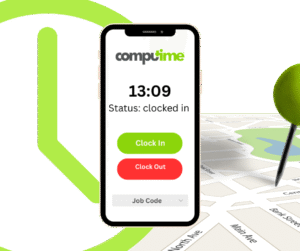
Mobile apps allow employees to clock in from their phones, often with GPS location tracking.
Pros
-
Extremely flexible
-
GPS prevents off-site clocking
-
Ideal for field-based employees
-
No physical clock in machine needed
Cons
-
Requires smartphones
-
Battery and signal dependency
-
Ongoing app subscription costs
-
Privacy concerns around location tracking
Best for: Construction, care workers, delivery teams, field services
There is no one-size-fits-all clocking system. The best solution depends on:
-
Workforce size and location
-
Industry compliance requirements
-
Budget (hardware vs software)
-
Employee privacy expectations
-
Need for fraud prevention
Many businesses now use hybrid time and attendance systems, combining a physical clock in machine on-site with mobile or web-based options for remote staff.
Investing in the right time and attendance solution saves time, reduces payroll errors, improves compliance, and increases transparency across your business. Whether you choose a biometric clocking system, RFID clock in machine, or a mobile app with geo-tracking, the key is matching the technology to how your team actually works.